Assembly and Installation
Much of the online documentation applies to WARP1, WARP2 and WARP3. However, assembly and installation differs slightly between the three generations. This documentation is designed for WARP3. For help with assembly and installation of WARP1 and WARP2, please refer to the respective operating manuals at https://warp-charger.com/downloads.
Scope of Delivery
The charger delivery includes:
- Pre-assembled charger including cover
- DIN A4 envelope with:
- Operating Manual
- Test protocol of the charger
- Drilling Template
For Smart and Pro variants additionally:
- Three NFC cards
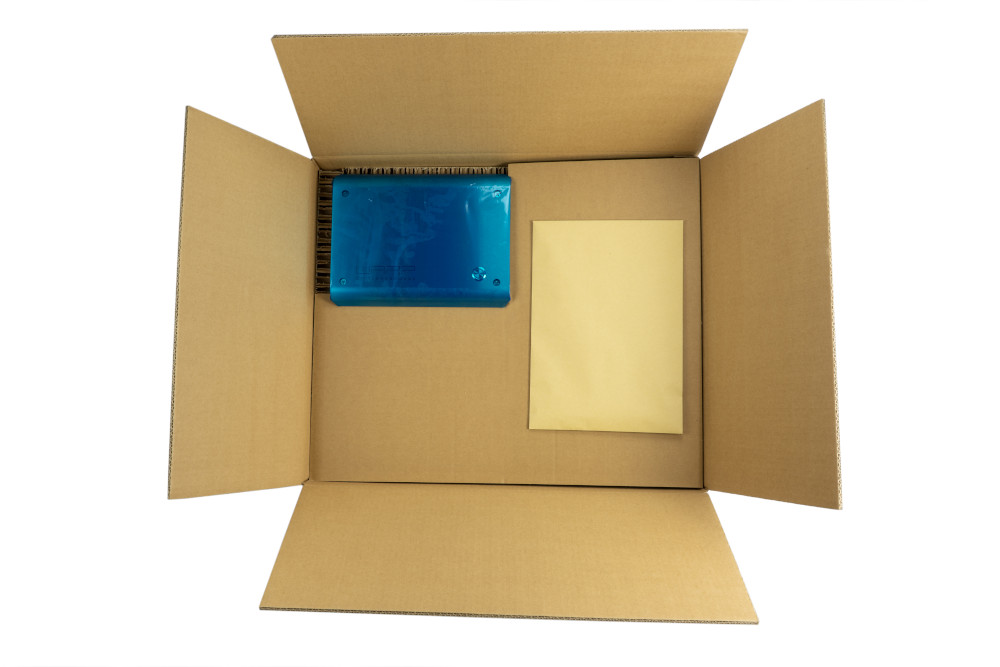
The charger is delivered in corrugated cardboard packaging, the envelope with accessories is located in the upper level of the packaging. The cable is coiled in the lower level.
Installation Location
If possible, the charger should be installed protected from weather conditions. Direct sunlight should be avoided to prevent unnecessary heating of the charger. Adequate ventilation must be ensured. The dust protection cap of the Type 2 plug should not be attached if it could fill with water from rain or similar. In this case, corrosion of the plug contacts could occur.
Wall Mounting
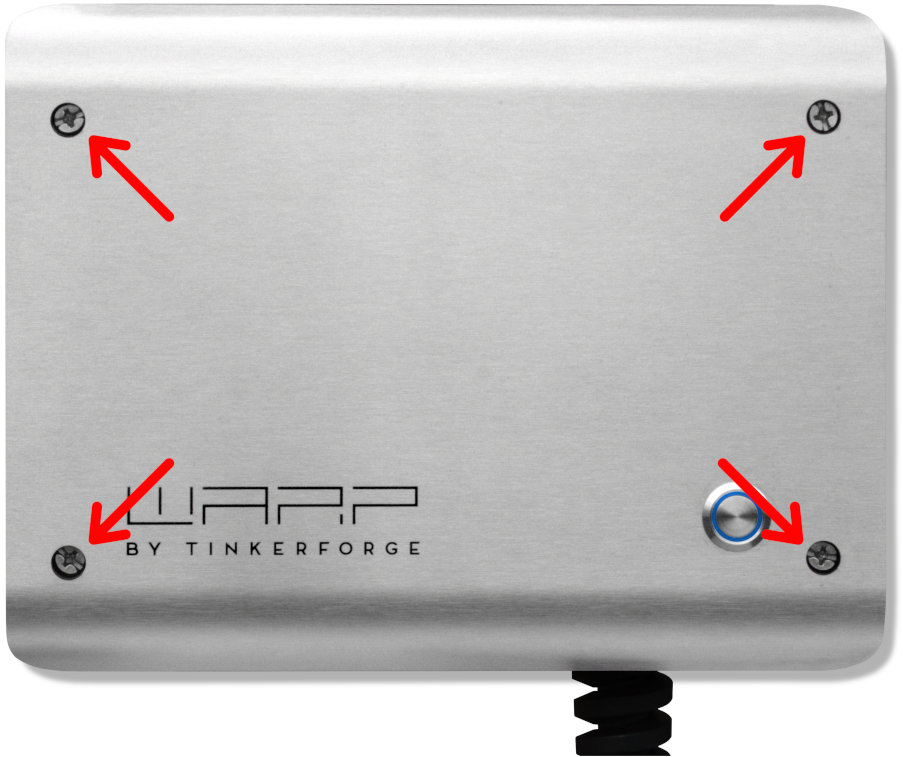
To mount the charger, the cover must be removed. For this, the four Phillips screws (marked red in the image) must be loosened. After loosening the screws, it can be removed from the charger.
The button in the cover is connected via a cable and must be disconnected from the cable by pressing the latch (marked blue).
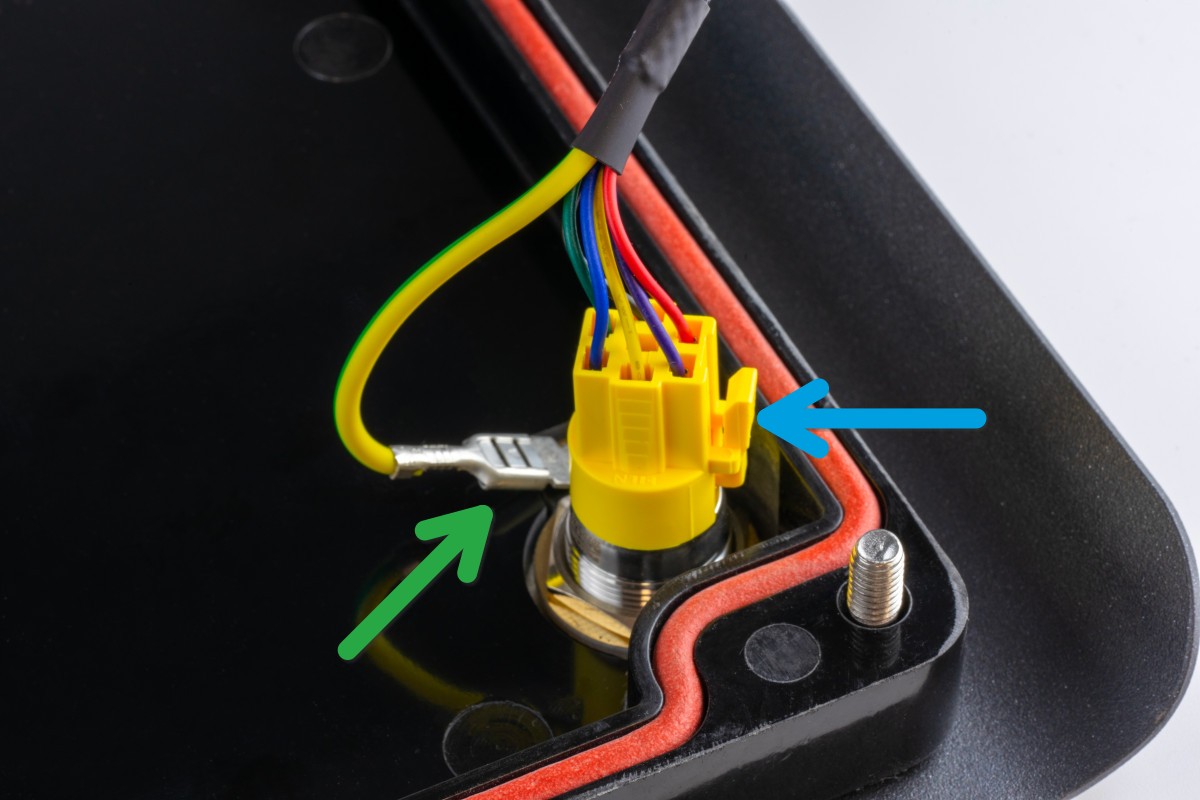
Additionally, the grounding plug (marked green) must be unplugged from the front panel. Only then can the cover be completely set aside.
After removing the cover, the housing can be mounted on the wall. The included drilling template can be used for drilling the mounting holes. When mounting, ensure a sufficiently stable surface.
We recommend using 5 mm or 6 mm screws for mounting. The required screw length depends on the surface. The screw head diameter must not exceed 11 mm, otherwise the screw will not fit into the corresponding opening in the housing. For mounting on a stone wall, for example, 5×80 mm wood screws with 8×50 mm wall plugs can be used.
The drilling template is also available here for download: Drilling Template WARP Charger 3
Requirements for Electrical Installation
The selection of cable cross-section and circuit protection for the charger supply line must comply with national regulations. Typically, the charger is connected three-phase. For this, a three-phase circuit breaker with C-characteristic should be used. For single-phase operation of the charger, a single-phase circuit breaker must be used accordingly. The charger has internal DC fault current detection. This interrupts the charging process at a DC fault current ≥ 6 mA. Therefore, only an upstream Type A 30mA AC residual-current device (RCCB) is necessary. The charger may only be connected in a TN / TT network.
Electrical Connection
The work described in this section may only be performed by a qualified electrician.
After the charger has been mounted, it can now be connected. The cover must be removed for this.
Connecting the Supply Line
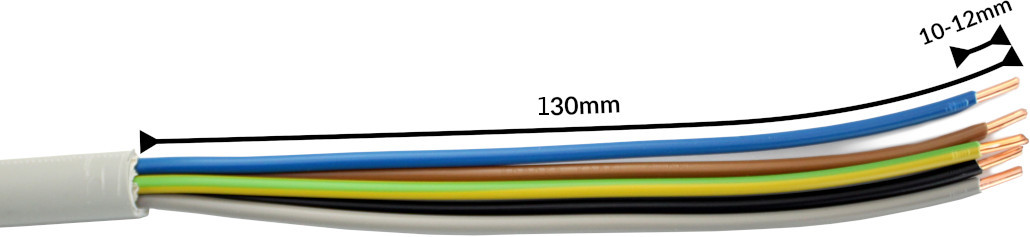
The supply line should be prepared for all variants as shown in the photo above. We recommend stripping the cable to a length of at least 130 mm. For the terminals, a stripping length of 10 mm to 12 mm is specified.
The supply line is connected to the internal terminal block. To offer maximum freedom of movement with rigid conductors, the wires are routed in a small loop over the terminal block and connected to the free spring terminal positions. The wires are inserted into the terminals according to the sequence and terminal labels.
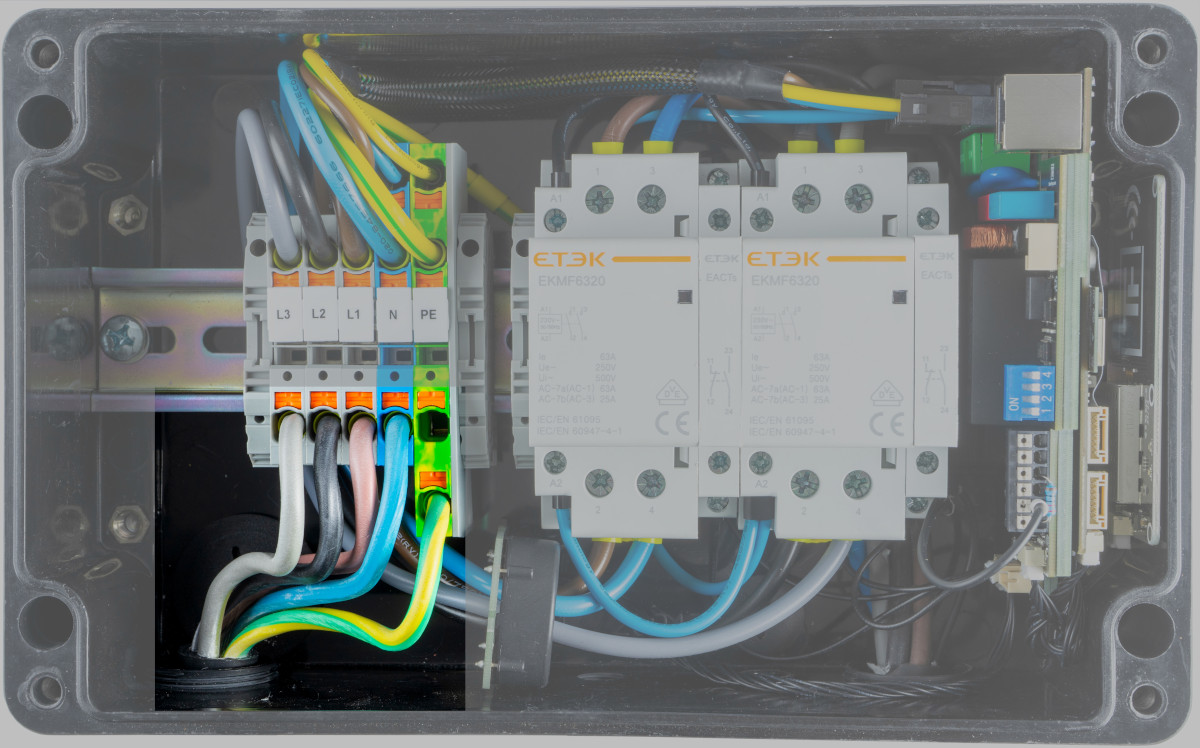
Finally, the cable gland must be tightened. The gland has a clamping range of 11 mm to 22 mm and should be tightened to 10 Nm according to the manufacturer.
The correct seating of the wires and phase assignment must be checked after installation! All connections within the charger must be tightened. Next, the maximum charging current must be set.
Alternative: Cable Entry from the Rear
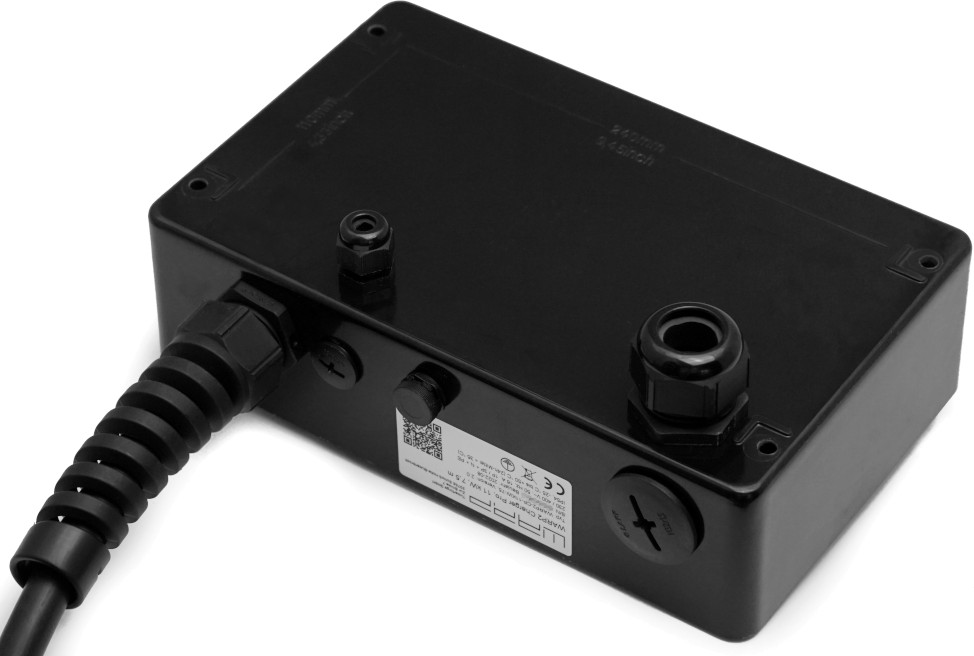
The cable entry of the WARP3 Charger from the bottom (delivery state) can be converted so that cable entry is from the rear. For this, the cable gland (M32) for the supply line and the cable gland for the network cable must be unscrewed from the charger housing. The holes in the rear of the charger are sealed from inside with blind plugs in the delivery state. These must be removed and screwed into the now open holes at the bottom. The cable glands are then screwed into the charger housing from the rear.
Variant with Factory-Connected Supply Line
If the charger is ordered with a pre-installed supply line from the factory, it must be connected outside the charger. The colors are assigned according to DIN and as follows: L1 brown, L2 black, L3 gray, N blue, PE yellow/green.
The correct seating of the wires and phase assignment must be checked after installation! Then the maximum charging current must be set.
Alternative: Cable Entry from the Rear
The cable entry of the WARP3 Charger from the bottom (factory default) can be modified so that the cable entry is from the rear. To do this, the cable entry (M32) for the supply line and the cable entry for the network cable must be unscrewed from the charger housing. The holes in the rear of the charger are sealed from the inside with blind plugs in the factory default state. These must be removed and screwed into the now open holes on the bottom. The cable entries are then screwed into the charger housing from the rear.
Variant with Factory-Installed Supply Line
If the charger is ordered with a factory pre-installed supply line, it must be connected outside the charger. The wire colors follow DIN standards and are assigned as follows: L1 brown, L2 black, L3 gray, N blue, PE yellow/green.
The correct seating of the wires and phase assignment must be checked after installation! Afterwards, the maximum charging current must be set.
Single-Phase Operation
All chargers can be connected and operated single-phase. For this, phase L1 must be connected, as it is also used for power supply to the charger. L2 and L3 are only switched through by the charger and can therefore remain unconnected.
A WARP3 Charger Smart or Pro should be configured for single-phase operation in the web interface.
Setting the Charging Current
The maximum allowed charging current must be set depending on the house-side circuit protection. The charging current must not be set higher than allowed by the supply line or circuit protection.
To set the charging current, the cover must be opened. The maximum charging current is set via four DIP switches on the right of the charge controller (EVSE) as follows (maximum allowed charging current in gray):
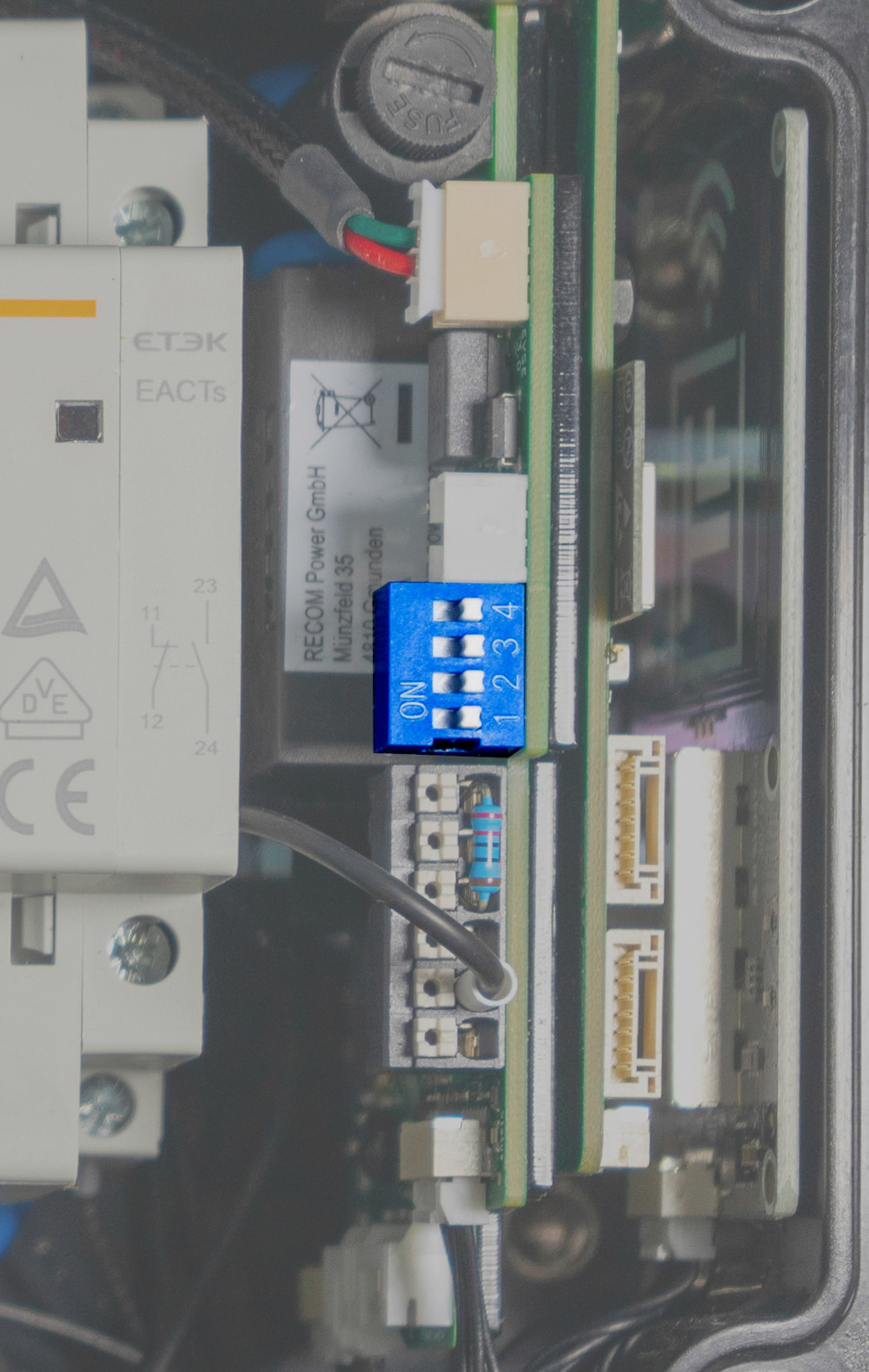
The various switch positions are documented in the following photo. In factory state, the switches are set so that the charger is inactive ("invalid").
As an example, in the first row, second photo from left, switch 1 is set to "ON" and switches 2, 3 and 4 are set to "OFF". This sets a maximum charging power of approx. 4 kW (3×6 A) for three-phase operation. If the charger is only connected single-phase, the vehicle can draw a maximum of 1.4 kW (1×6 A) via the charger.

The switch position and associated maximum charging current may only be changed after installation by a qualified electrician taking into account the mentioned conditions!
If no maximum charging current is set (0A), the charger is in an error state.
Creating LAN / RJ45 Cable
To connect the WARP3 Charger via LAN, a LAN / RJ45 cable must be prepared. The RJ45 cable can be routed into the charger using a cable gland. On the charge controller (on the right in the charger) there is an RJ45 socket where the routed cable can be plugged in. We recommend routing the cable in an arc to the left over the terminal block. Larger plugs, for example tool-free or RJ45 plugs with an LSA connection, can also be used.
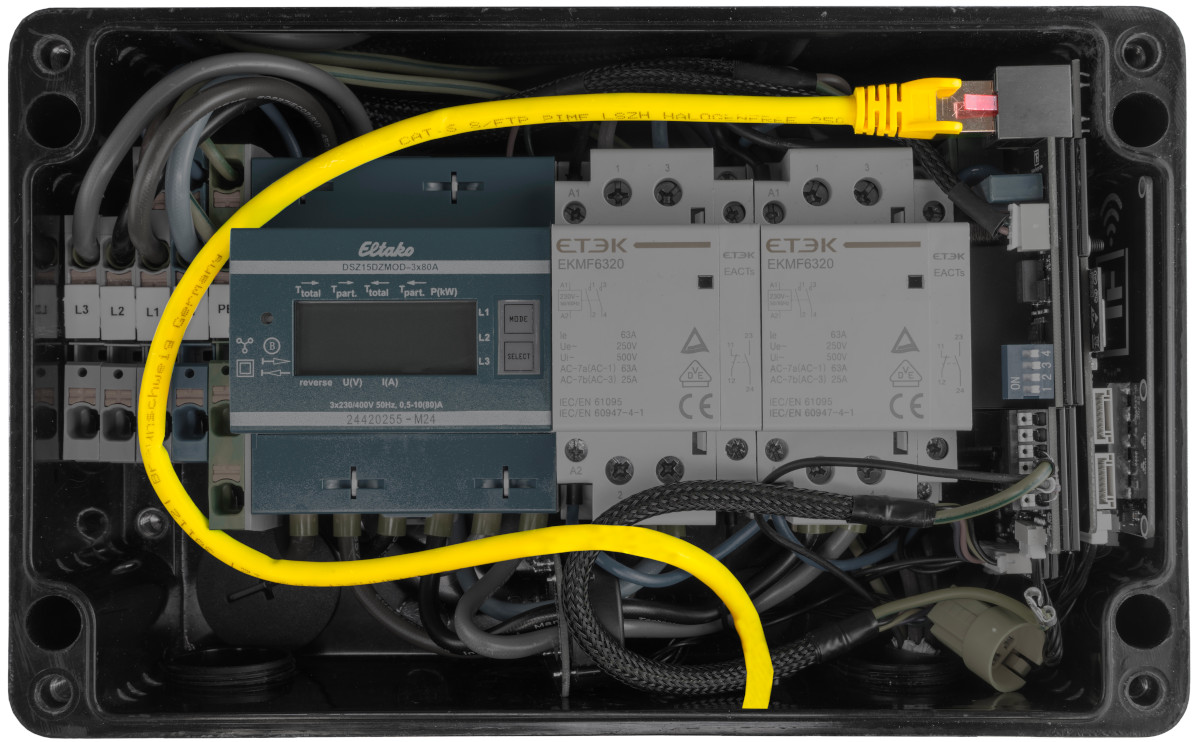
Testing
Each charger was individually tested at the factory according to IEC 60364-6 and the corresponding valid national regulations; the respective test protocol is included. Nevertheless, a test of the entire installation according to the same regulations is necessary before initial commissioning.
When measuring insulation resistance, a lower value is measured for L1 (approx. 1 MΩ), as the installed charge controller has an optocoupler with a 1 MΩ series resistor between L1 and PE (grounding monitoring). If an EVSE adapter is used during measurement, erroneous measurements on L2, L3 and N (measured against PE) may occur due to the mentioned monitoring circuit in interaction with the EVSE adapter. If this is the case, the insulation measurement must be performed without an EVSE adapter directly at the Type 2 plug.
The internal DC fault current detection is automatically tested by the charger.
After the charger has been installed and the correct electrical installation has been verified, the charger can be commissioned. In the first step, the power supply to the charger is switched on. The LED then flashes very quickly in magenta. The charger performs a calibration of the DC fault current detection during the first three seconds. After completing this calibration, the LED lights up continuously. The charger is now ready for operation. If the LED does not now light up permanently in blue, an error has been detected.
Next, an electric vehicle can be connected to the charger for charging. To do this, the protective cap is removed from the charging plug and the plug is inserted into the charging socket of the electric vehicle. After a few seconds, a contactor in the charger should audibly switch and the vehicle should indicate the start of the charging process. During charging, the LED "breathes" blue. When charging is complete, it lights up permanently. After approx. 15 minutes of inactivity, the LED is switched off.
Using the front button, a charging process can be immediately interrupted (default setting). Alternatively, the charging cable can be unlocked from the electric vehicle, which also interrupts the charging process. To restart the charging process in both cases, the connection to the vehicle must be disconnected and then reconnected (unplug and replug the cable) or the charging process must be restarted via the web interface.
Controls
The RGB LED built into the front button can assume different colors depending on the operating state. The behavior when the button is pressed can be configured in the charger web interface.
Additionally, the Smart and Pro charger variants have an NFC module that allows charging authorization e.g. via chip card. A detailed description can be found in the section NFC Tags.
EVSE Terminal Block / Shutdown Input
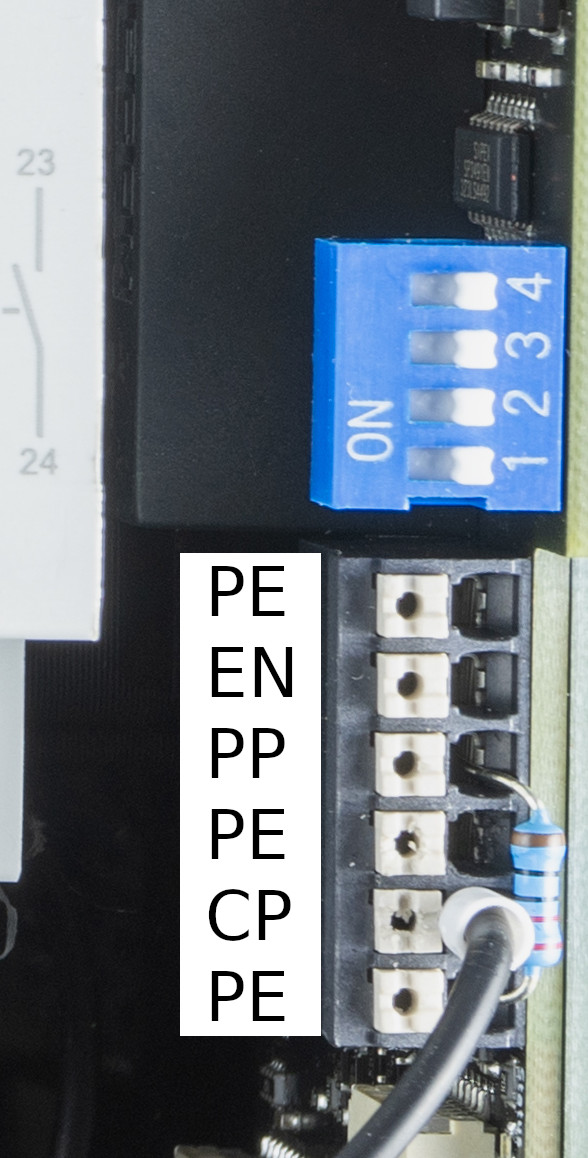
On the right in the charger is the charge controller. Next to the DIP switch where the maximum charging current is set, there is a terminal block. The CP line of the Type 2 charging cable is connected to this, as well as the PP resistor that defines the maximum current of the charging cable.
Additionally, there is the shutdown input ("EN") here. This input must be short-circuited with PE to be active. PE is available multiple times on the terminal block. For configuration of the shutdown input, see Controllable Consumption Device according to §14a EnWG.