NFC Tags
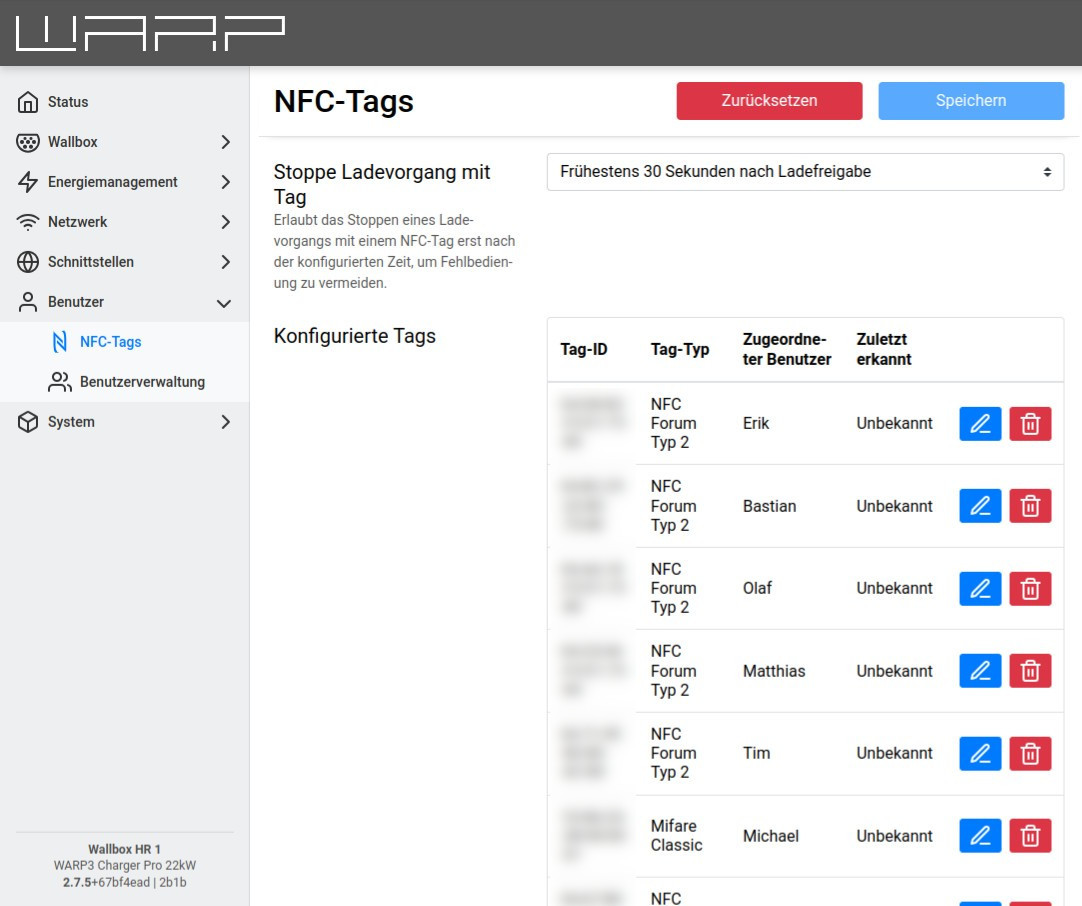
The WARP3 Charger supports charge authorization via NFC. When this is enabled, an NFC tag assigned to a user must be held to the right side of the charger to start and/or stop a charging process. Any NFC tags of types 1 to 4 as well as Mifare Classic can be learned. The WARP3 Charger supports up to 32 learned tags.
On the NFC page of the web interface, the authorized tags can be configured. In the factory state, the three included NFC cards are learned, but starting and stopping a charging process is configured so that authorization without a tag is possible. By clicking the + button, a new tag can be learned.
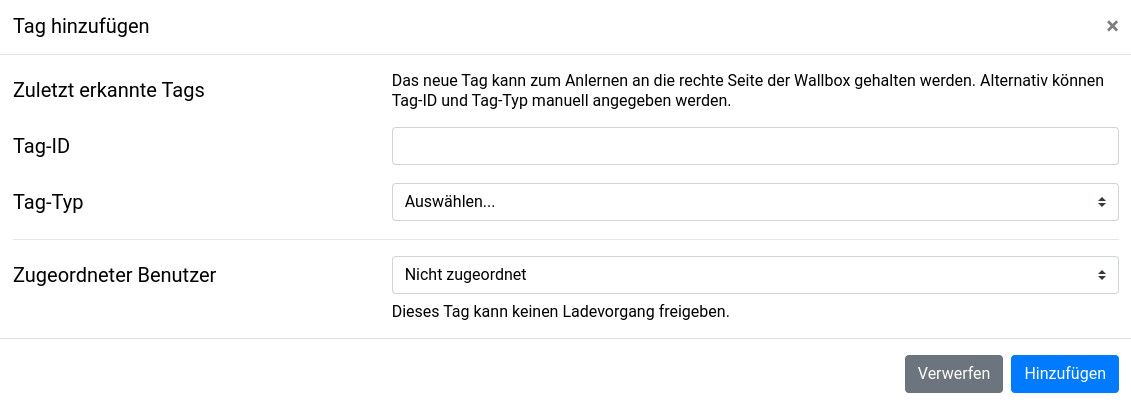
The most recently detected but not yet authorized tags are displayed in a list; by clicking on one of the tags, it can be adopted. A restart of the charger empties the list. If multiple tags are to be added one after another, we recommend holding the tags one after another to the charger. The tags are listed chronologically and can be created one after another and assigned to existing users. Once all NFC tags have been learned, the settings can be saved and the charger restarted.
Alternatively, tag ID and type can be entered manually. This is useful, for example, when tag ID and type are determined and entered using external devices (e.g. smartphone with appropriate app).
There is a tutorial that also covers user management including NFC and charge log: Setting Up the Charge Log