Status
The status page differs between a WARP Charger and a WARP Energy Manager. It provides general information about the device's state. In part, it also offers configuration options, such as switching the charging mode of chargers.
Status (WARP3 Charger)
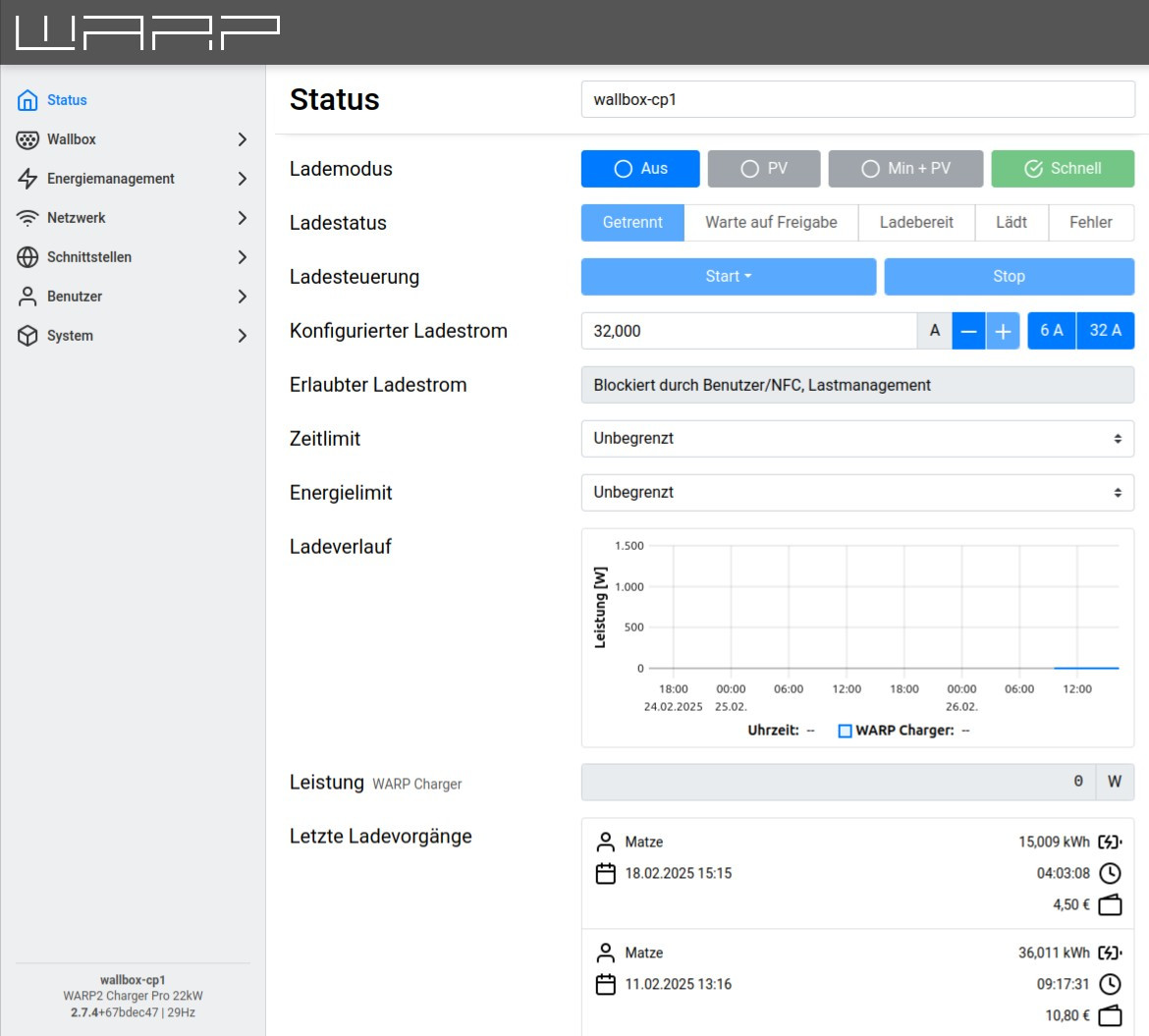
The elements displayed on the status page depend on which modules have been enabled in the charger web interface.
On this status page, the charging mode of the charger can be set. Which charging modes are offered depends on whether the charger has been configured for PV excess charging and whether eco mode has been enabled.
The charging status provides information on whether a vehicle is connected to the charger, whether the charging process has been authorized, and whether the vehicle is charging.
With the charge control and configured charging current, the charging process can be manually controlled. The charging current can be used to set an additional current limit.
Via the time limit or energy limit (WARP Charger Pro only), a charging process can be time-limited or a maximum energy amount (kWh) can be specified.
The charging history displays the charging power over time and is only available for WARP Charger Pro chargers.
If users are configured, the last charging processes are displayed. These contain information about the user who charged, the charging duration, and for WARP Charger Pro chargers, the amount of energy charged.
The status page also displays information about charge management if enabled. Additionally, information about the interfaces is provided, including IP addresses, WiFi connection strength, etc.
More Examples
Example with eco charging mode and activated charging schedule in charge management with multiple chargers.
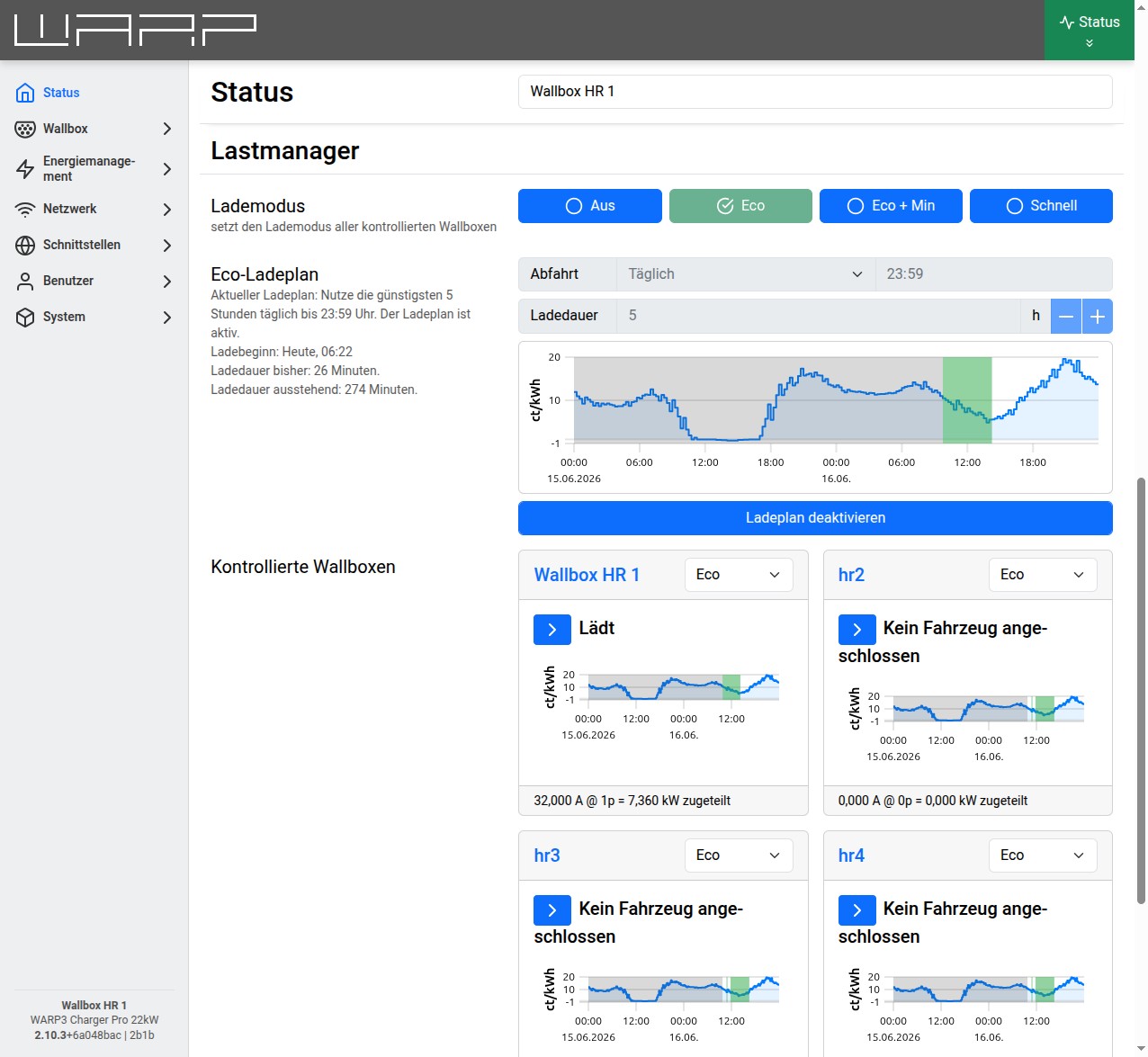 The charging mode section and its buttons can be used to permanently set
the charging mode for all controlled chargers.
Which charging modes are offered depends on whether the WARP Charger has been configured for
PV excess charging and whether eco mode has been enabled.
The charging mode section and its buttons can be used to permanently set
the charging mode for all controlled chargers.
Which charging modes are offered depends on whether the WARP Charger has been configured for
PV excess charging and whether eco mode has been enabled.
The controlled chargers section shows the chargers managed by the WARP Charger and their status. The charging mode of each charger can also be set individually using its front button or the drop-down box. This setting only applies temporarily to the current charging process.
Status (WARP Energy Manager)
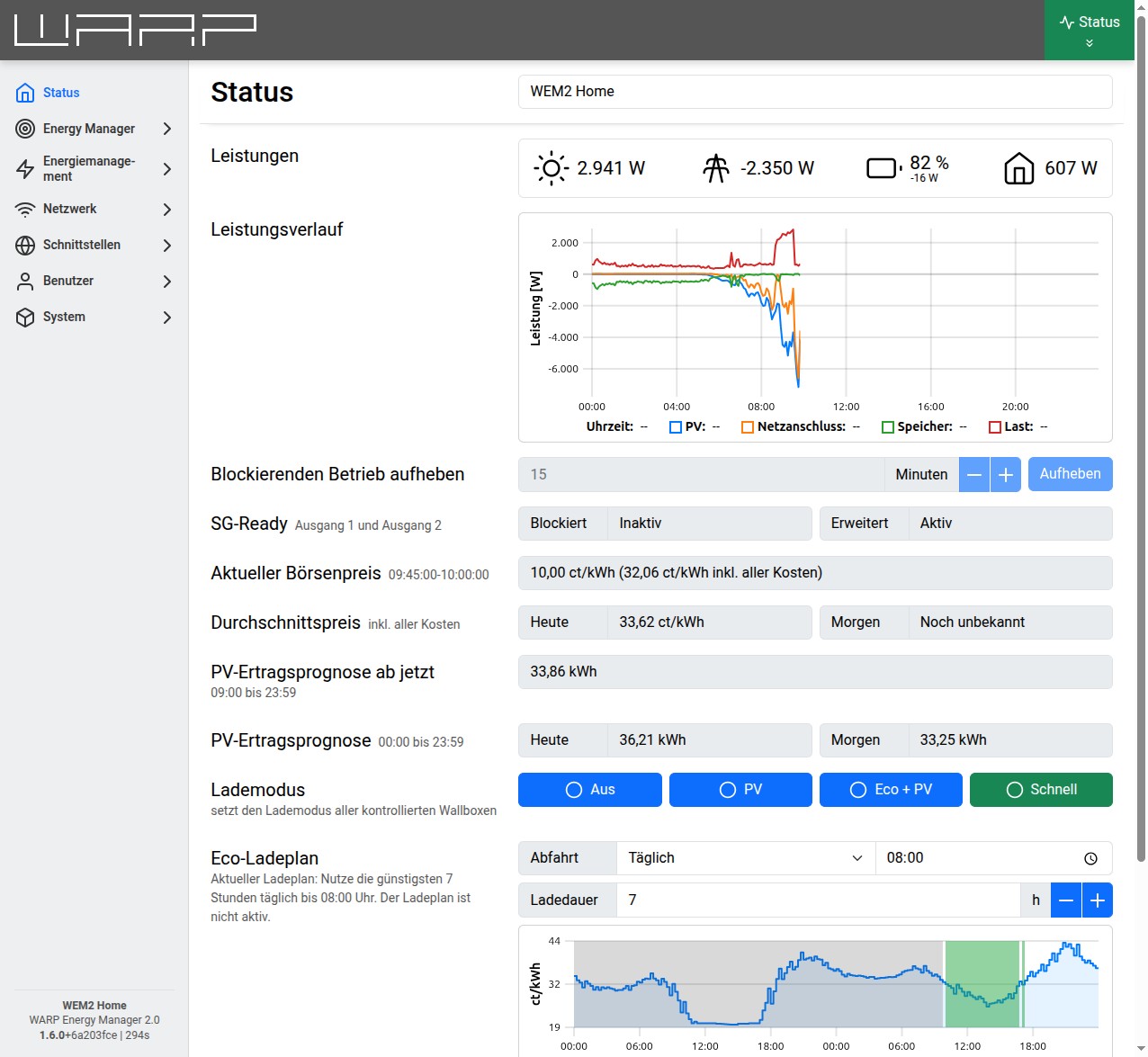
The elements displayed on the status page depend on which modules have been enabled in the Energy Manager web interface.
On the Energy Manager status page, information about the current power from energy meters is displayed. If the energy meters have been configured, an overview of the power progression related to PV generation, grid consumption or feed-in, home battery, and consumption can be viewed here.
The status of the SG-Ready interface (heating) and information about the current electricity price (Current Market Price and Average Price) are also displayed.
This WARP Energy Manager has been configured as a charge manager for chargers. The charging mode section and its buttons can be used to permanently set the charging mode for all controlled chargers. Which charging modes are offered depends on whether the Energy Manager has been configured for PV excess charging and whether eco mode has been enabled.
In addition, an Eco charging schedule is active, configured with a daily departure time of 08:00 and a charging duration of 7 hours.