User Management
There is a tutorial that also covers user management including NFC and charge log: Setting Up the Charge Log
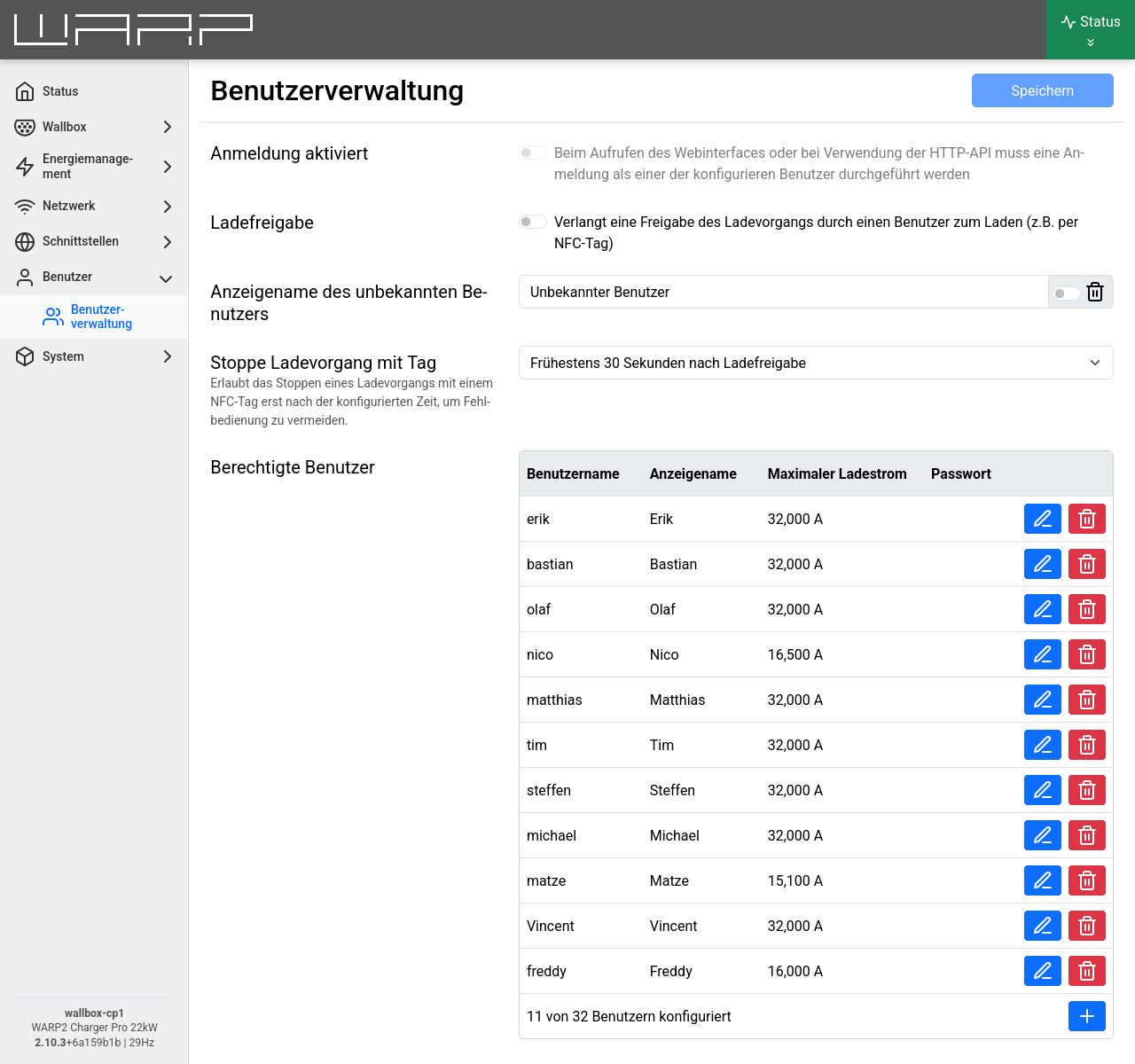
Up to 32 users can be created. A created user to whom at least one NFC tag has been assigned can have charging processes assigned by the charge tracker. In the factory setting, three users are created, each of whom has been assigned one of the included NFC cards. These can be renamed or deleted.
A new user can be added by clicking on +. This opens a modal window in which the actual username, the display name (for display in the charge tracker), and the maximum charging current allowed for the user can be set. Additionally, the user can be given a password for HTTP login (see following section).
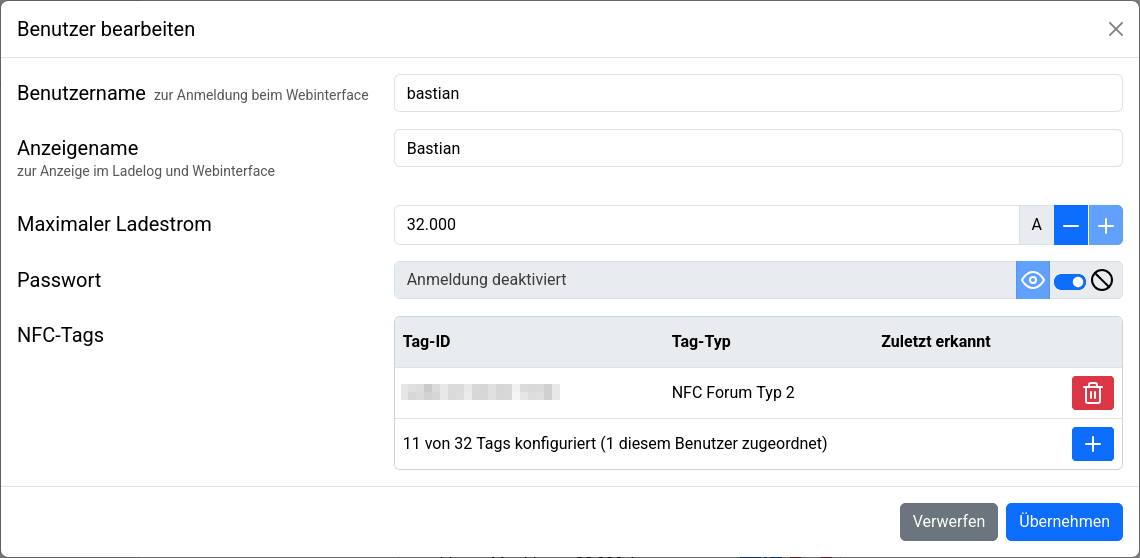
NFC release
NFC tags may be assiged when creating or editing a user. NFC tags that were detected recently by the charger are listed here. If this WARP charger or WARP energy manager is the charge manager for multiple chargers and the central management is enabled (see Chargers), NFC tags that were recently detected by one of the managed chargers are shown here.
Alternatively, tag ID and type can be entered manually. This is useful, for example, when tag ID and type are determined and entered using external devices (e.g. smartphone with appropriate app).
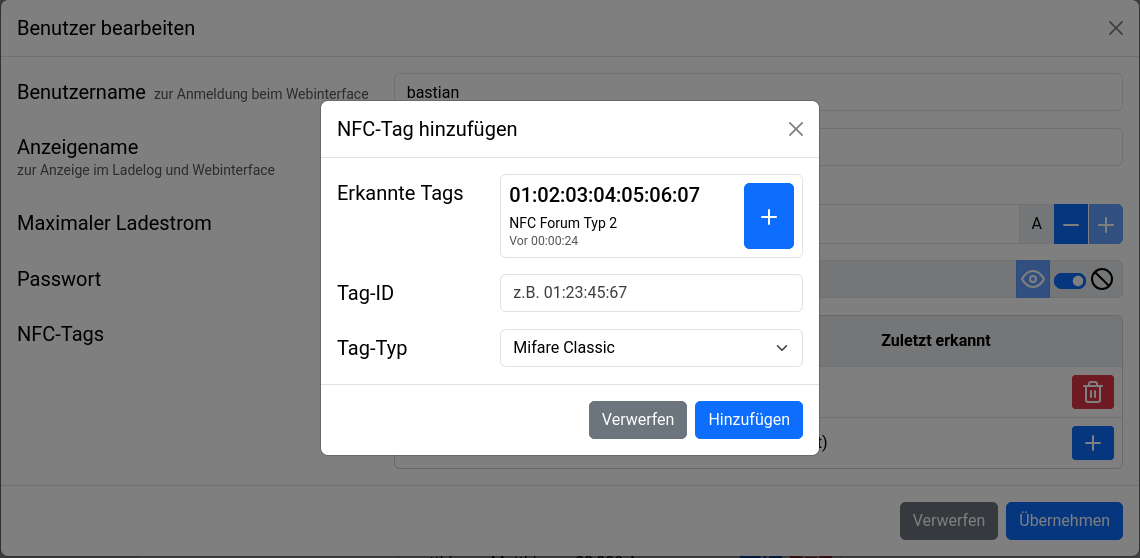
Any NFC tag of type 1 through 5 as well as Mifare Classic tags can be assigned. The WARP3 charger supports up to 32 tags.
If multiple users are to be created, we recommend creating them directly one after another. Afterwards, the changes must be saved and the charger restarted for the changes to take effect.
If only charge authorization via NFC/user authorization is desired, user authorization must be enabled.
If multiple chargers shall use the same users/NFC tags, it is sufficient to configure the users and tags for the charge manager and enable the central management. see Chargers.
Vehicles
This function is only available on the WARP4 Charger.
Vehicles can be assigned to a user when creating or editing them. As a result, charging sessions authorized via Autocharge are attributed to that user in the charge log, and the user's individual charging current limit is applied.
The + button in the Vehicles section offers all configured vehicle profiles for selection. Each vehicle profile can be assigned to one user.
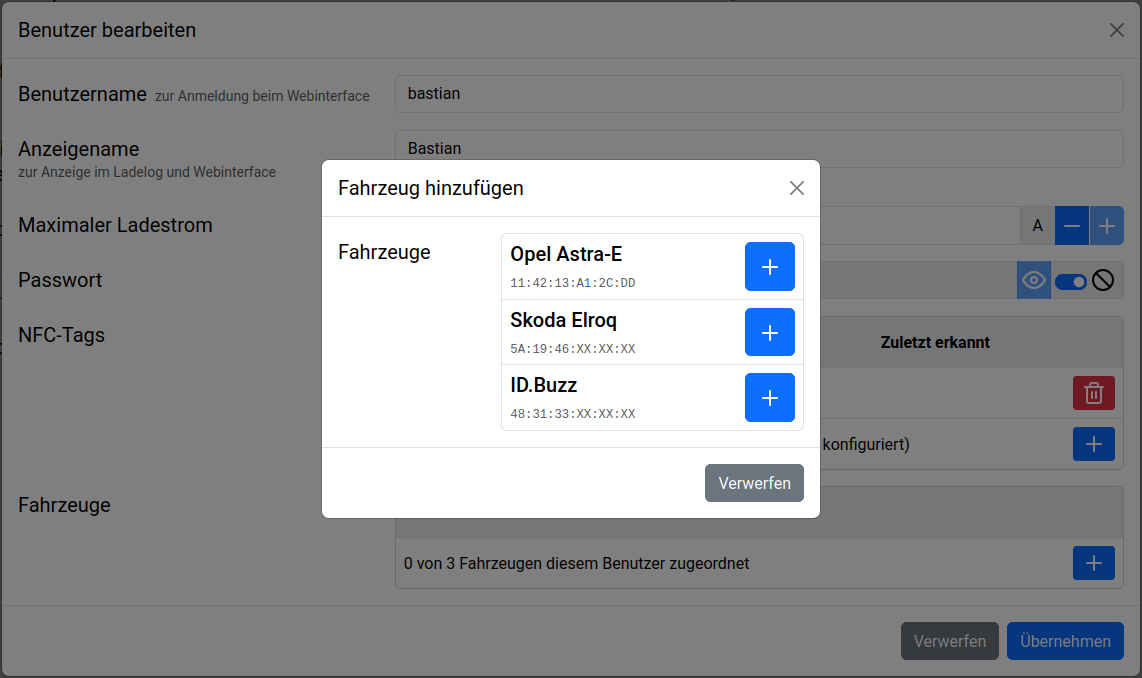
The actual vehicle profiles (name, MAC address, battery capacity, charging efficiency) are not created here, but on the Vehicles page.
Login
When Login enabled is selected, access to the web interface and use of the HTTP API requires logging in as one of the configured users. HTTP login is only possible if a password has been configured for the user. The function can only be activated if at least one user with a configured password exists. Accordingly, users can be created who are only used for charge tracking via NFC tag, but should not have access to the web interface, by not giving them a password.
If the credentials for HTTP login are lost, access can only be regained via recovery mode or after a factory reset.