Settings
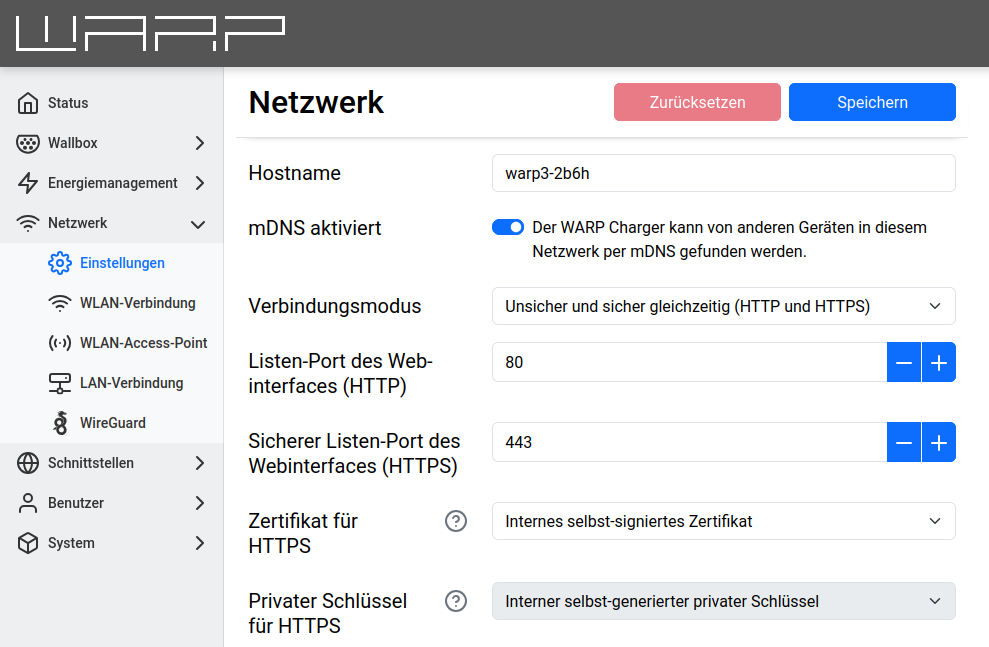
This page allows configuring the hostname of the WARP Charger or WARP Energy Manager for all connected networks. Additionally, mDNS can be enabled or disabled. Via mDNS, other devices on the network can find the WARP3 Charger/WARP Energy Manager. This simplifies, for example, the setup of a charge management cluster.
The Transport mode setting controls whether the web interface is accessible via HTTP (insecure), HTTPS (secure), or both at the same time. The respective port can be configured (default is port 80 for HTTP and 443 for HTTPS). For HTTPS, a custom certificate in PEM or DER format and the corresponding private key can be provided. If no certificate is provided, an internal self-signed certificate is used. Custom certificates and keys can be uploaded via the TLS Certificates page.