WiFi Access Point
There is a tutorial that also covers integrating a WARP Charger or WARP Energy Manager into a network: First Steps
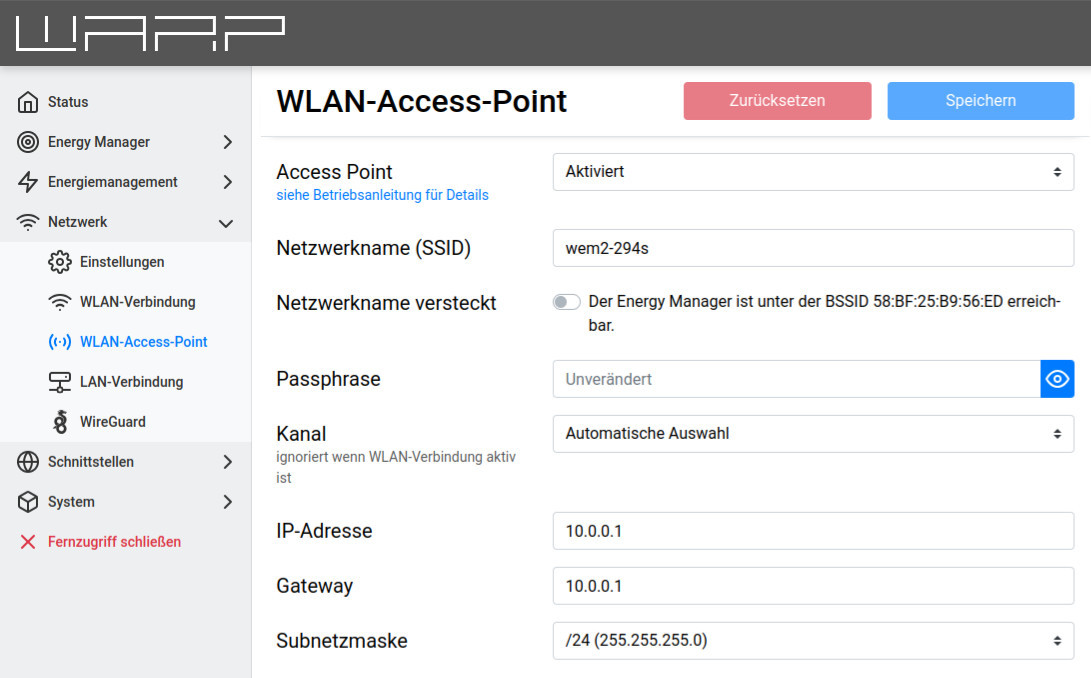
The access point can be operated in one of two modes: Either it can always be active or only when the connection to another WiFi or LAN is not configured or has failed. Additionally, the access point can be completely disabled.
We recommend never completely disabling the access point, as otherwise the web interface cannot be reached if the connection to another network fails.
The mode of the access point, network name, passphrase, etc. should be self-explanatory and can be configured here.
Routing between the access point and the other network (LAN, WiFi) is not supported. The access point therefore cannot be used to replace a WiFi access point that connects to a LAN.