LAN Connection
Available for
WARP2 ChargerWARP3 ChargerWARP4 ChargerWARP Energy Manager 1.0WARP Energy Manager 2.0
note
There is a tutorial that also covers integrating a WARP Charger or WARP Energy Manager into a network: First Steps
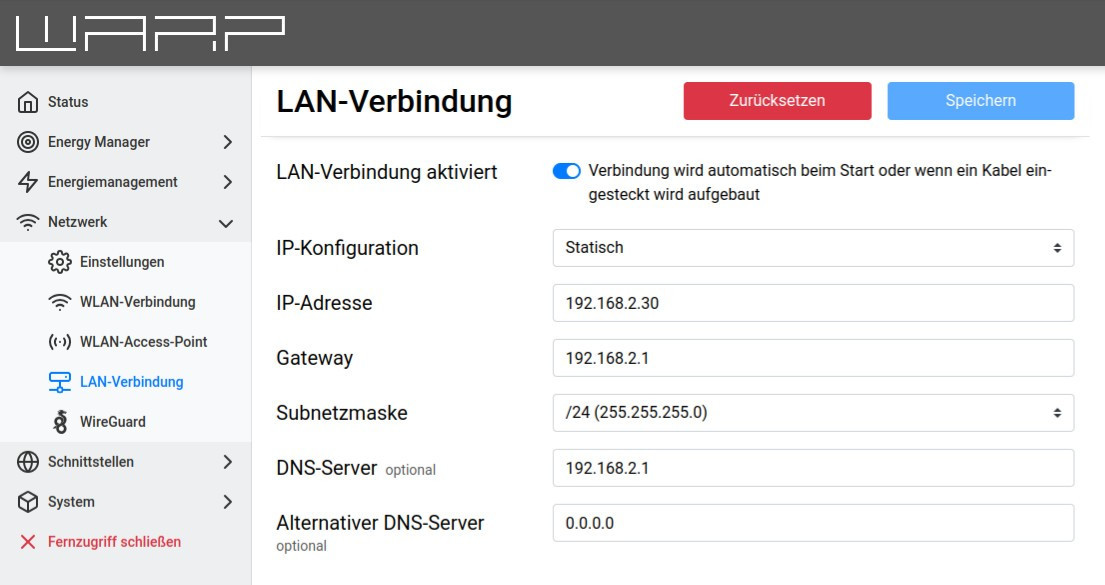
In most cases, a LAN connection is automatically established if a cable is plugged in (IP address is obtained via DHCP). However, it is also possible to enter a static IP configuration, or, if desired, to completely disable the LAN connection. With a successful connection, the charger should now be reachable on the LAN at http://[configured_hostname], e.g. http://warp3-ABC.
note
The LAN and WiFi connections should not be connected simultaneously to the same network or IP range, as this can lead to connection problems.