Setting Up the Charge Log
How It Works
The WARP Charger records all charging processes performed. The following information is stored per charging process:
- Start date and time of the charging process, if date and time are known.
- User who started the charging process, if known.
- Meter reading at start and end of the charging process (WARP Charger Pro only). From this, the charged energy in kWh is calculated.
- Duration of the charging process.
From this information and the configured electricity price, the costs of the charging processes are calculated. The costs are not recorded per charging process, but calculated based on the configured electricity price. This means in particular that when the electricity price is changed, the displayed costs of older charging processes are also changed.
This information is stored locally on the WARP Charger. No internet access or cloud service etc. is required and the data is not transmitted to third parties.
Configuration of Charge Authorization, Users, and NFC Tags
To use the same users/NFC tags on multiple chargers, they only need to be configured on the charge manager. Configure the charge management first and enable the central management, see Charge Management
The user management's charge release does not need to be activated.
Charges are assigned to users and tracked in the charge manager's charge log.
For charging processes to be assigned to a user,
- at least one user must be created and charge authorization of the user management must be enabled and
- an NFC tag must be assigned to the user.
In factory state, three users with one NFC tag each are configured. The
NFC tags are part of the charger delivery.
Users can be edited under Users -> User Management.
Further information is available in the web interface documentation: User Management
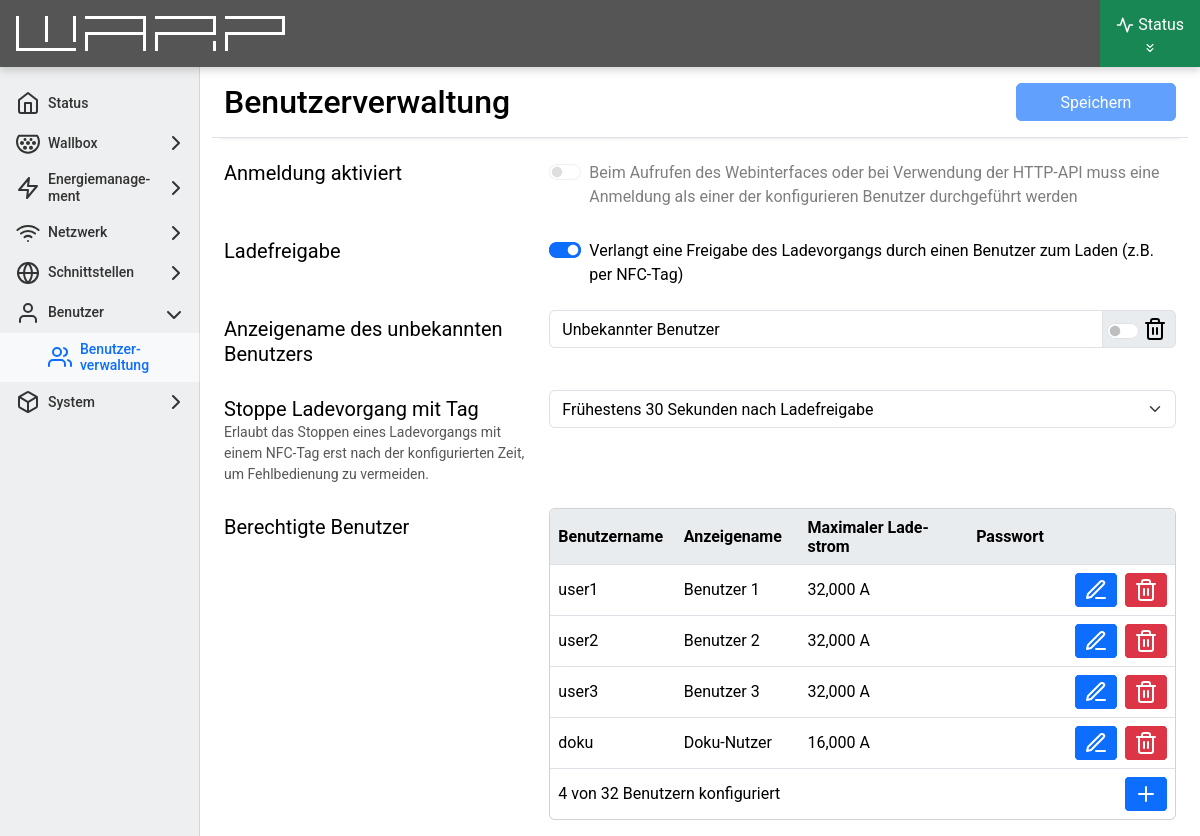
In the screenshot, charge authorization was enabled. With charge authorization enabled, a charge must first be authorized via NFC before the charger starts charging.
Furthermore, in addition to the default users, we have added a "Doku-Nutzer" who is limited to 16A charging current. To do this, simply click on the "+" at the bottom right and enter a username, a display name, and the maximum charging current for this user.
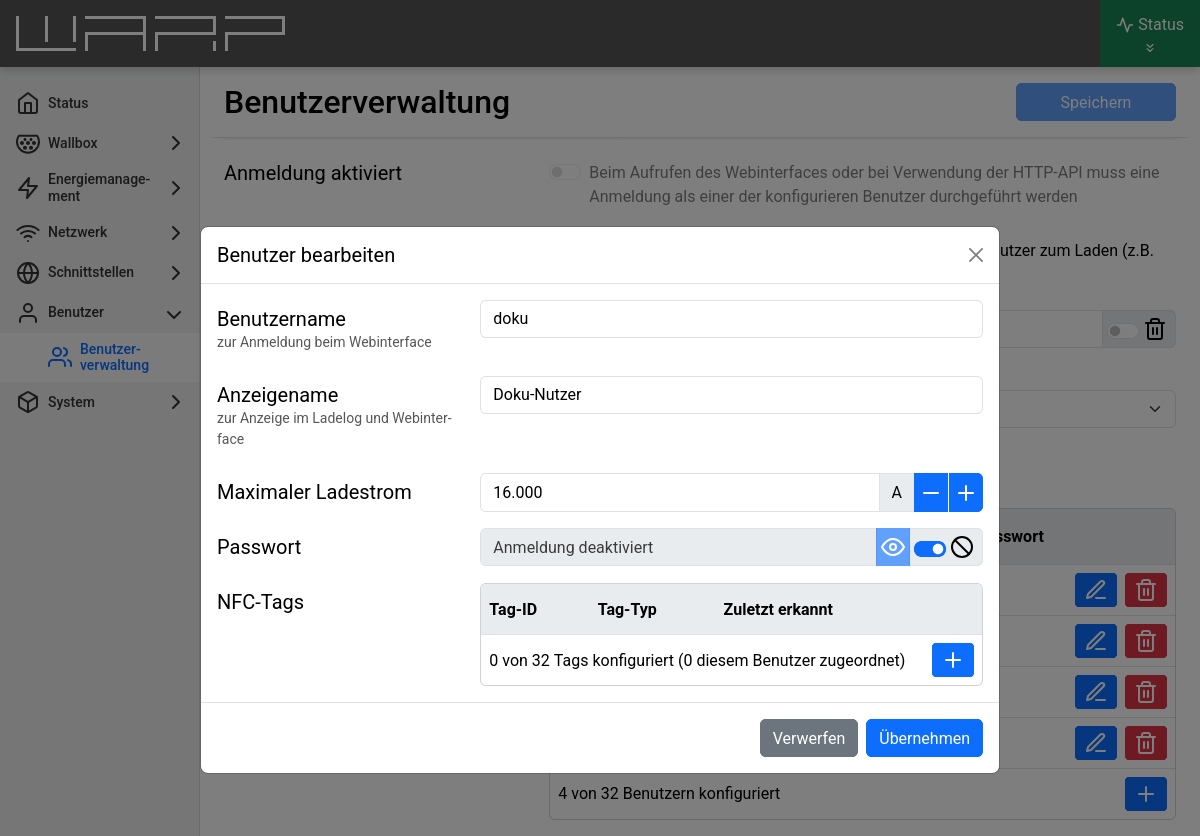
Here, NFC tags can be assigned to the user. The WARP Charger supports the NFC card types Mifare Classic and NFC-Forum-Type-1 through -5.
Any NFC tags of the supported types can be learned (e.g. the access card from the gym).
To add an NFC tag, click on the "+" at the bottom right again.
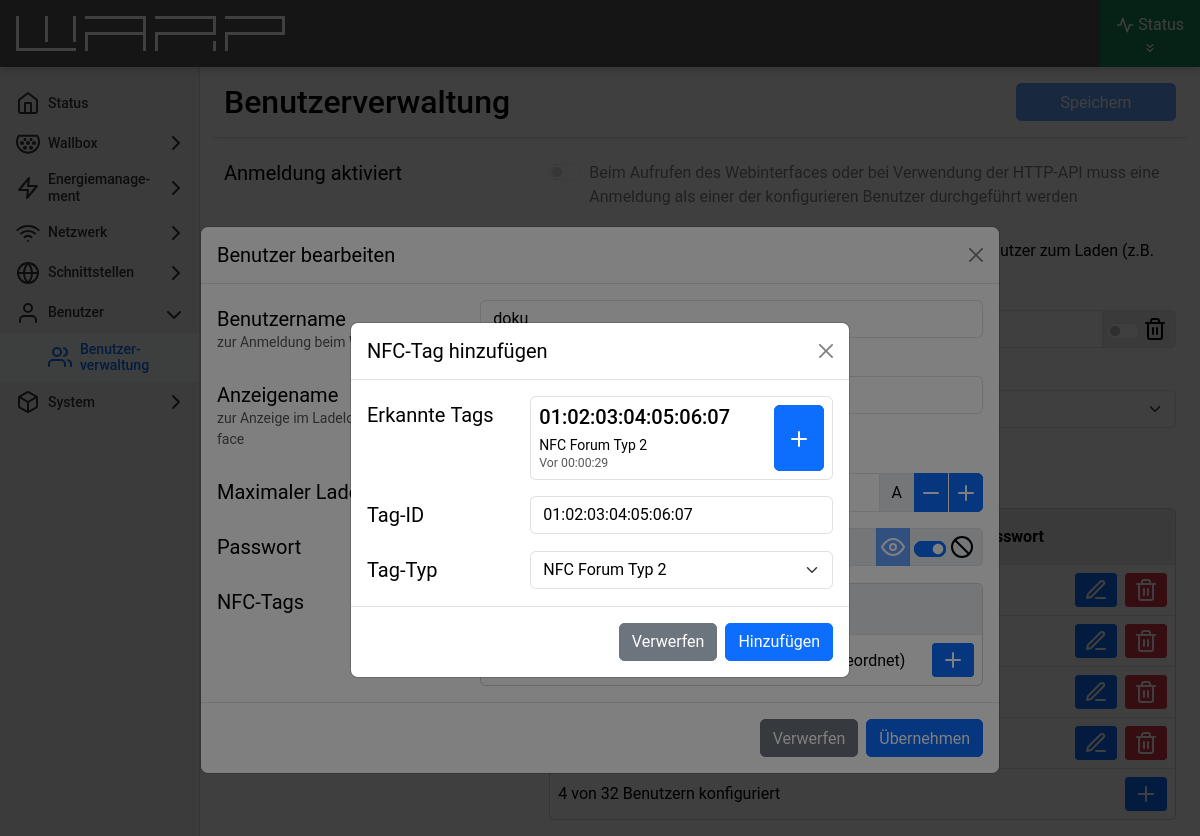
In the add-tag window, the most recently detected NFC tags are displayed. This means you can simply hold the tag in front of the charger once before configuration to then select it here.
In the example, we assign an NFC-Forum-Type2 tag to the "Doku-Nutzer".
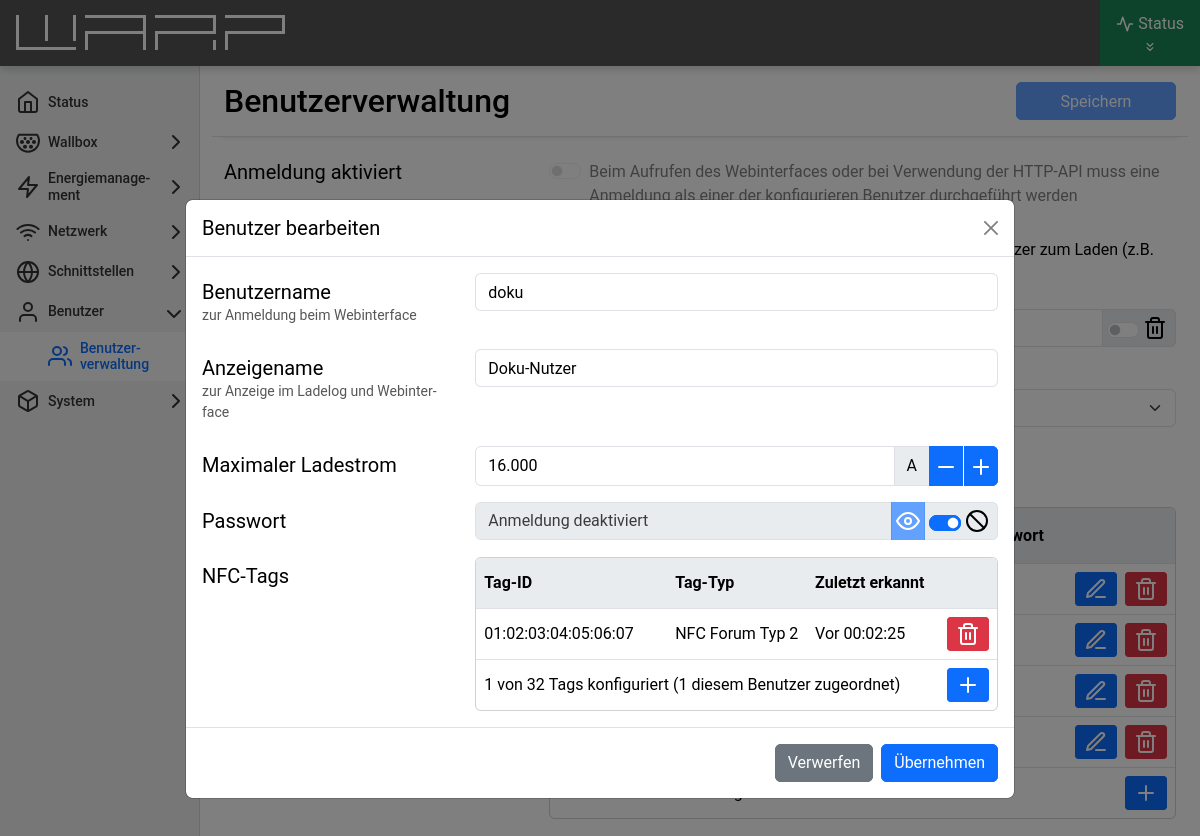
After adding, you must save, and then the charger knows a new user who is also used by the charge log.
Charge Log Export as PDF or CSV
Recorded charging processes can be downloaded in the web interface under
Charger -> Charge Tracker either as a PDF or as a CSV document
compatible with common spreadsheet programs. Additionally, the generated document can be pre-filtered, for example,
to get only charging processes of a specific user in a
specified time period.
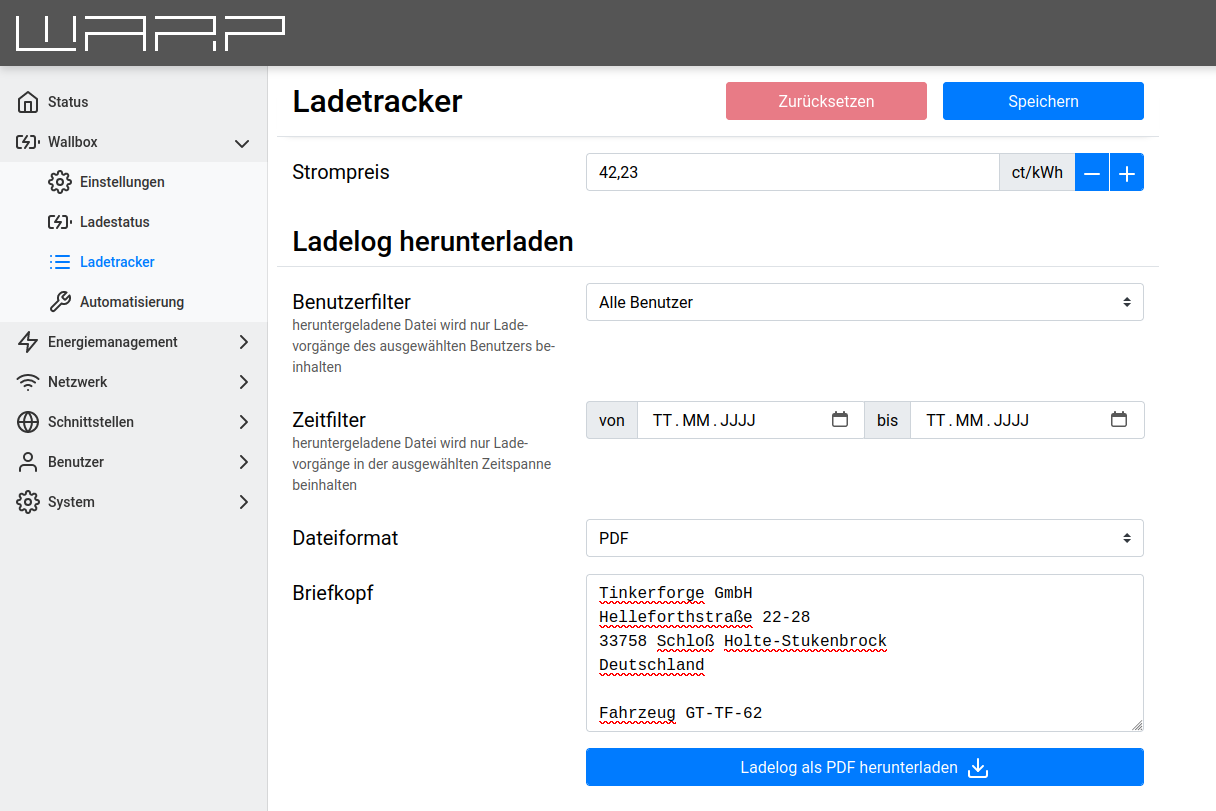
If the charging processes are downloaded as PDF, a letterhead can additionally be specified. This can contain a maximum of 6 lines of 50 characters each. The letterhead is embedded in the PDF so that it is visible in the window of an envelope with standard folding.
Information about the company vehicle etc. can also be entered at this point. This ensures that the charge log is compatible with the most diverse company policies for billing company electric vehicles.
An example PDF charge log can be downloaded at https://www.warp-charger.com/documents/beispiel_ladelog.pdf
If the charging processes are downloaded as CSV, you can choose between two formats:
Excel-compatible: Creates a CSV file that can be loaded by Excel without import configuration. The field separator is a semicolon, in the first line this is marked (for other language versions) with sep=;. The file is encoded in Windows-1252, so possibly not all usernames can be displayed.
RFC4180: Creates a CSV file that is formatted according to RFC4180. The field separator is a comma, the file is UTF-8 encoded.
View Charge Log
Further down on the Charge Tracker page, the last 30
charging processes can also be viewed directly.
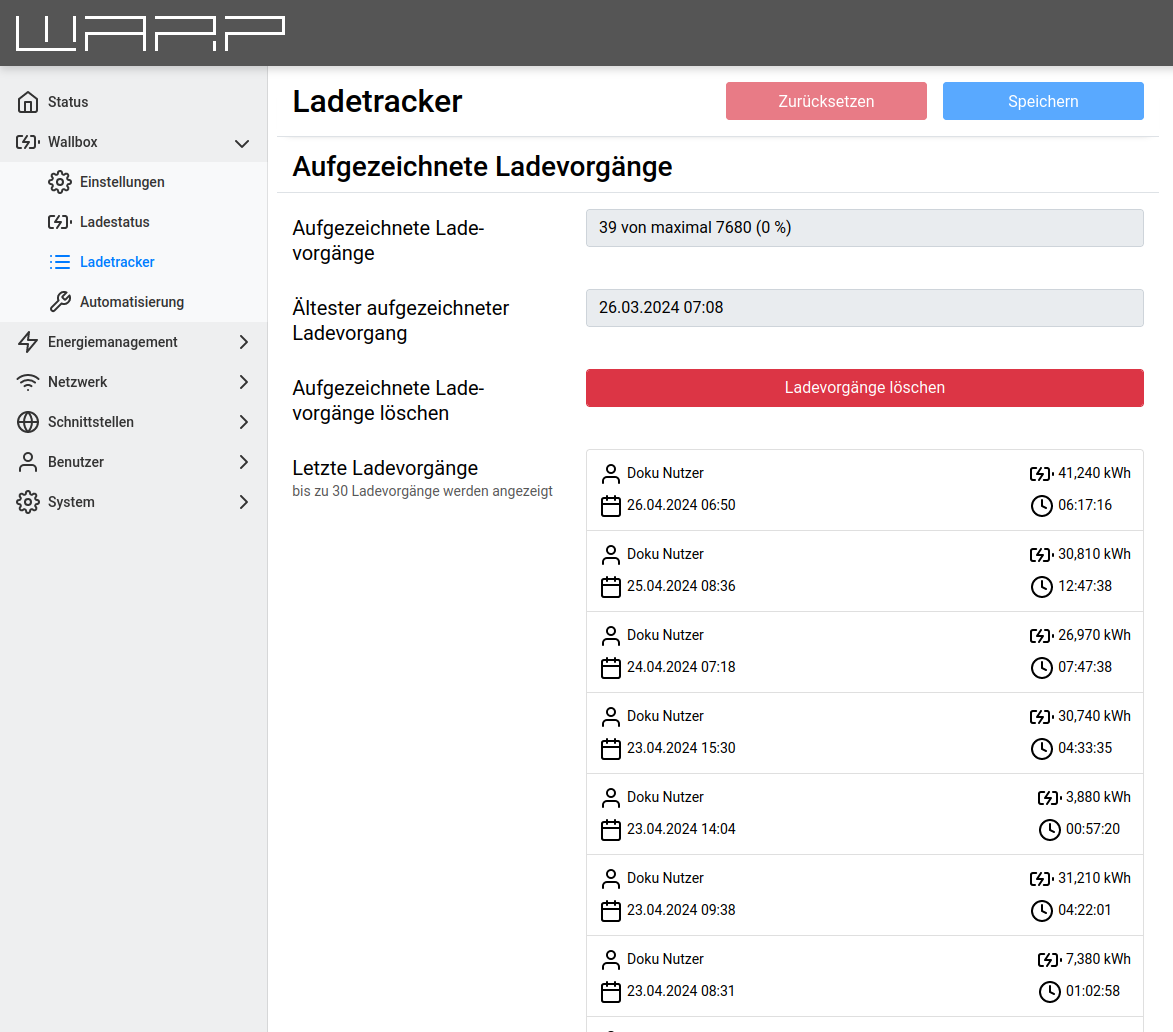
Further information is available in the web interface documentation: Charge Tracker