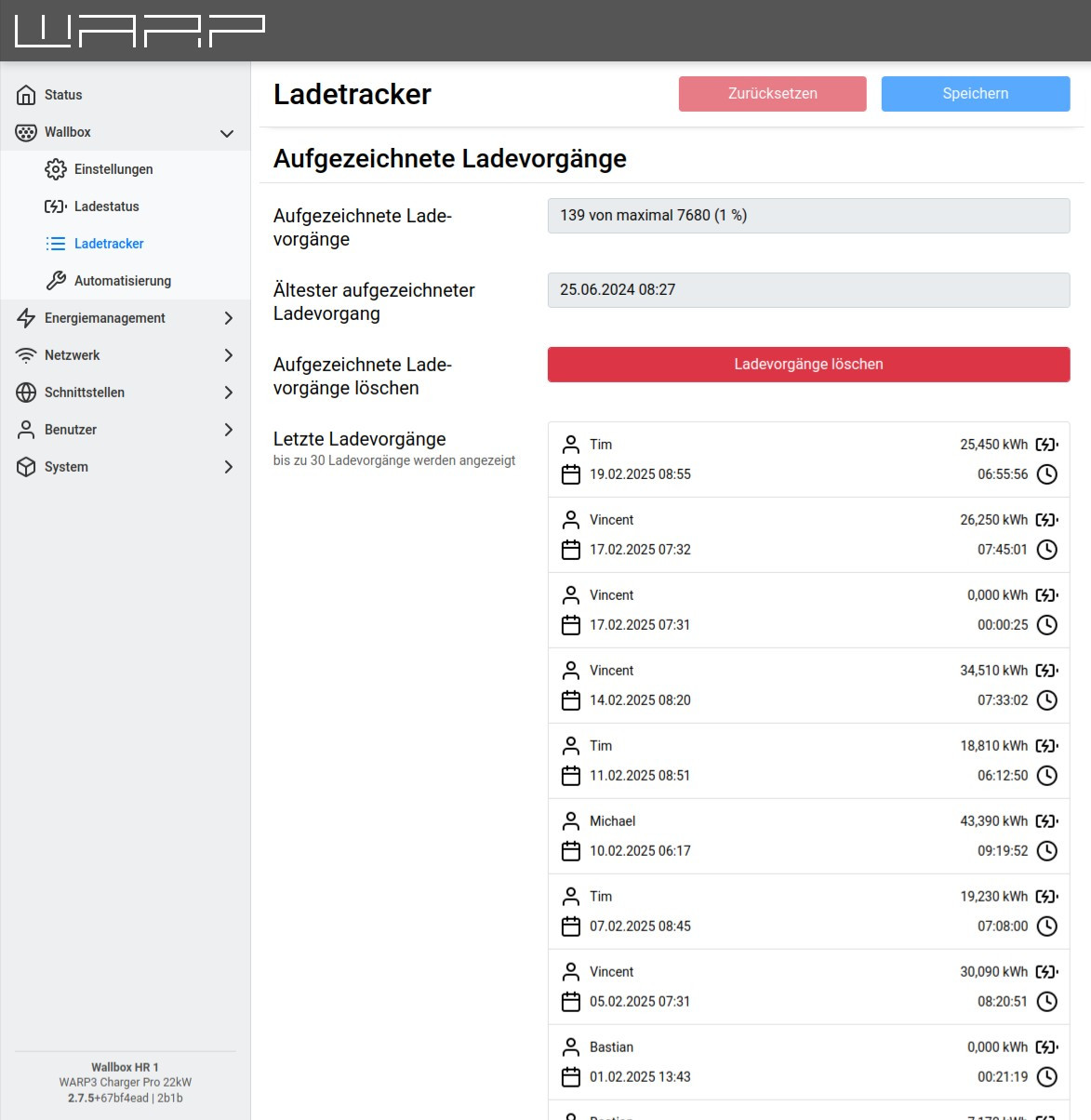
Charge Tracker

The WARP3 Charger records all charging processes performed.
A WARP charger or WARP energy manager, that is the charge manager of multiple chargers with central management enabled, will track all charges of controlled chargers.
The following information is stored per charging process:
- Start date and time of the charging process, if date and time are known.
- User who started the charging process, if known.
- Meter reading at start and end of the charging process (WARP3 Charger Pro only). From this, the charged energy in kWh is calculated.
- Duration of the charging process
From this information and the configured electricity price, the costs of the charging processes are calculated. The costs are not recorded per charging process, but calculated based on the configured electricity price. This means in particular that when the electricity price is changed, the displayed costs of older charging processes are also changed.
For charging processes to be assigned to a user:
- at least one user must be created and either the charge authorization in user management or the central management in charge manager must be enabled.
- an NFC tag must be assigned to the user
In the factory state, three users with one NFC tag each are configured. Then only charge authorization under User Management needs to be enabled. This information is only stored on the WARP3 Charger. Recorded charging processes can be downloaded from the web interface on the charge tracker page either as a PDF or as a CSV document compatible with common spreadsheet programs. Additionally, the generated document can be pre-filtered, for example to obtain only charging processes of a specific user in a specified time period. If the charging processes are downloaded as PDF, a letterhead can additionally be specified. This can contain a maximum of 6 lines of 50 characters each. The letterhead is embedded in the PDF so that it is visible in the window of an envelope with standard folding.
If the charging processes are downloaded as CSV, you can choose between two formats:
- Excel-compatible Creates a CSV file that can be loaded by Excel without import configuration. The field separator is a semicolon, in the first line this is marked (for other language versions) with sep=;. The file is Windows-1252 encoded, so possibly not all usernames can be displayed.
- RFC 4180 Creates a CSV file formatted according to RFC 4180. The field separator is a comma, the file is UTF-8 encoded.
The WARP3 Charger or WARP Energy Manager can record up to 32768 charging processes.