Heating
The WARP Energy Manager 2.0 can control a heat pump using the SG-Ready interface. This can be configured on this page. In normal operation of the heat pump, it is not controlled. However, using SG-Ready, the heat pump can also be put into blocking operation. This means the heat pump does not run. Alternatively, the heater can also be requested to run in enhanced operation mode. Depending on the heat pump configuration, it increases the target temperatures for hot water and heating flow.
The following is a brief summary of the settings. Further information and configuration examples are available in the help texts in the web interface.
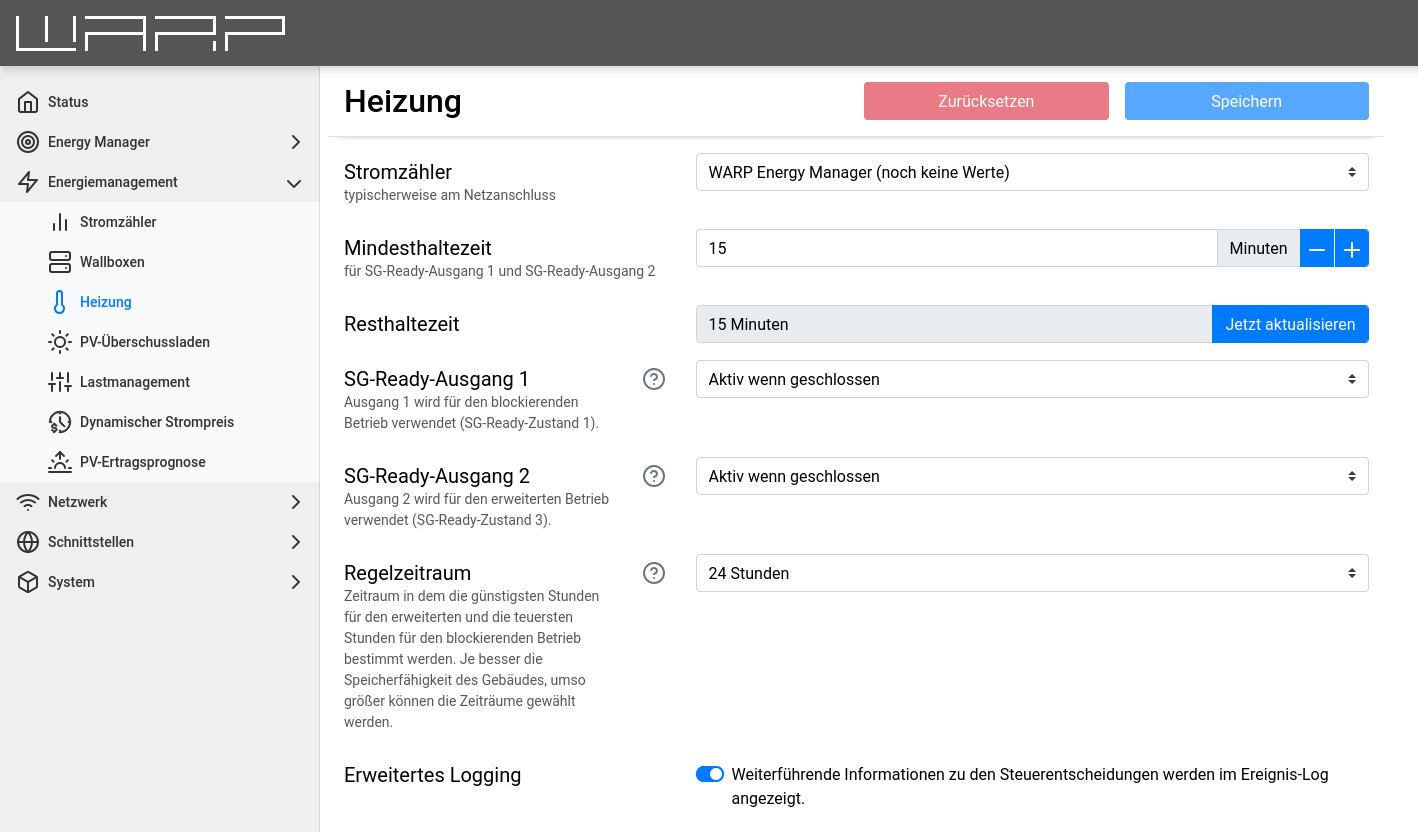
- Energy meter: A previously configured energy meter at the grid connection must be selected here so that the PV excess can be measured.
- Minimum hold time: Minimum time for which the state of the SG-Ready outputs is maintained.
- Remaining hold time: The current remaining hold time for the outputs is displayed here. This is the running minimum hold time. For testing, the remaining hold time can also be reset.
- SG-Ready output 1+2: Configuration of the outputs.
- Control period: Time period to be considered for the following rules.
- Extended logging: When active, additional information is output in the event log.
Enhanced Operation Mode
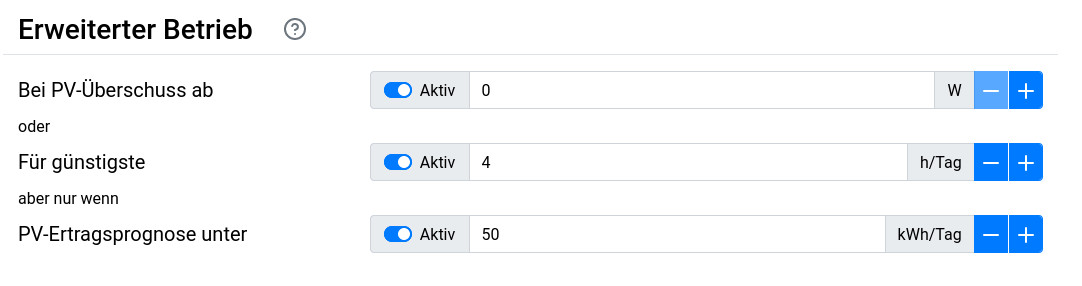
Enhanced operation mode is activated,
- always when the threshold for PV excess is exceeded (PV excess utilization).
- or in a time-based control:
- for the cheapest X hours within the control period
- but only when the solar forecast for the considered period is below the set threshold.
Blocking Operation Mode
Blocking operation mode is activated,
- in a time-based control:
- during the most expensive X hours within the control period If the threshold of the previously configured PV excess at the grid connection is exceeded, the blocking operation mode is lifted and the heat pump is put into enhanced operation mode.

At most, the sum of the configured hours for enhanced and blocking operation can correspond to the set control period. In this case, the heat pump is never in normal operation.
Temperature Heating Curve
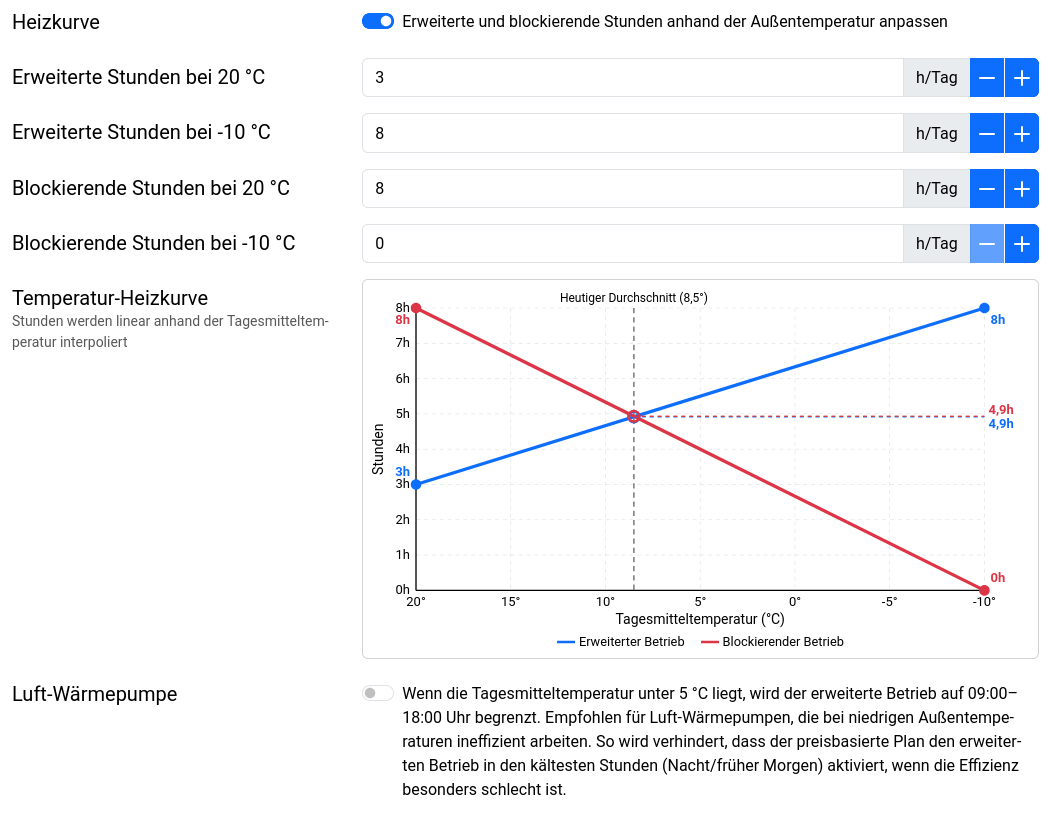
The temperature heating curve allows the number of hours for extended and blocking operation to be automatically adjusted based on the daily average outside temperature. Two temperature endpoints are used: 20 °C (warm) and -10 °C (cold). The number of hours is linearly interpolated between these two endpoints based on the current daily average temperature.
Example: If extended operation is configured for 2 hours at 20 °C and 8 hours at -10 °C, and the current daily average temperature is 5 °C, then extended operation would run for 5 hours.
The Outside Temperature module must be enabled to use the heating curve.
Additionally, there is an Air heat pump option: If the daily average temperature is below 5 °C, extended operation is limited to 09:00–18:00. This is recommended for air-source heat pumps that operate inefficiently at low outside temperatures. It prevents the price-based plan from activating extended operation during the coldest hours (night/early morning).
Status
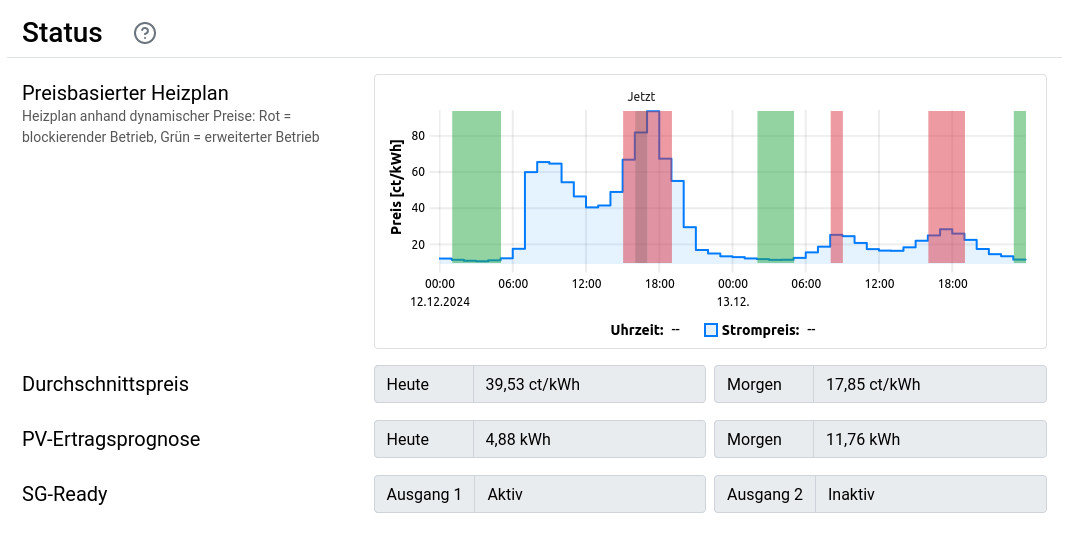
In this section, the graph shows when a switch-on recommendation (green) is given for the current electricity price curve and when the heater is blocked (red). If time blocks are not marked, then the heat pump is in normal operation. The heating plan is optimized to respect the configured minimum holding time. Instead of selecting scattered individual time slots, contiguous blocks are chosen. The graph does not take into account the activation of enhanced operation mode in case of PV excess, but only the time-based control.
§14a EnWG
The §14a EnWG control is configured centrally on a dedicated page: §14a EnWG. The heating system can be enabled as a target device for the §14a power limit there.